
If you’ve spent any time searching for ways to start an online business, you’ve probably come across both Shopify and Sellvia. On the surface, they look like competitors in the same lane. They’re not.
Shopify is a website builder that gives you a blank canvas and tells you to figure out the rest. Sellvia is a complete online business platform that builds your store, loads it with products, and comes with a built-in advertising system – so you can focus on getting paid, not getting set up.
This review looks at both platforms side by side, across the categories that actually matter to someone who wants to start earning online in 2026 – without a computer science degree or a marketing budget.
Quick Verdict: Who Wins at a Glance
| Category | Shopify | Sellvia |
| Setup complexity | High – requires technical work | Low – done for you |
| Time to first sale | Weeks to months | Same day (with ads) |
| Products included | None – source your own | Ready-made digital catalog |
| Built-in advertising | No – use third-party apps | Yes – one-click ad system |
| Starting price | $39/month + apps + themes | $39/month – all-in |
| Free trial | 3-day free trial | 14-day free trial + $40 ad coupon |
| Experience required | Intermediate to advanced | Zero – complete beginner friendly |
| Works on phone only | Difficult | Yes, fully mobile-friendly |
| Income focus | Platform only | Platform + built-in revenue system |
1. What Each Platform Actually Is
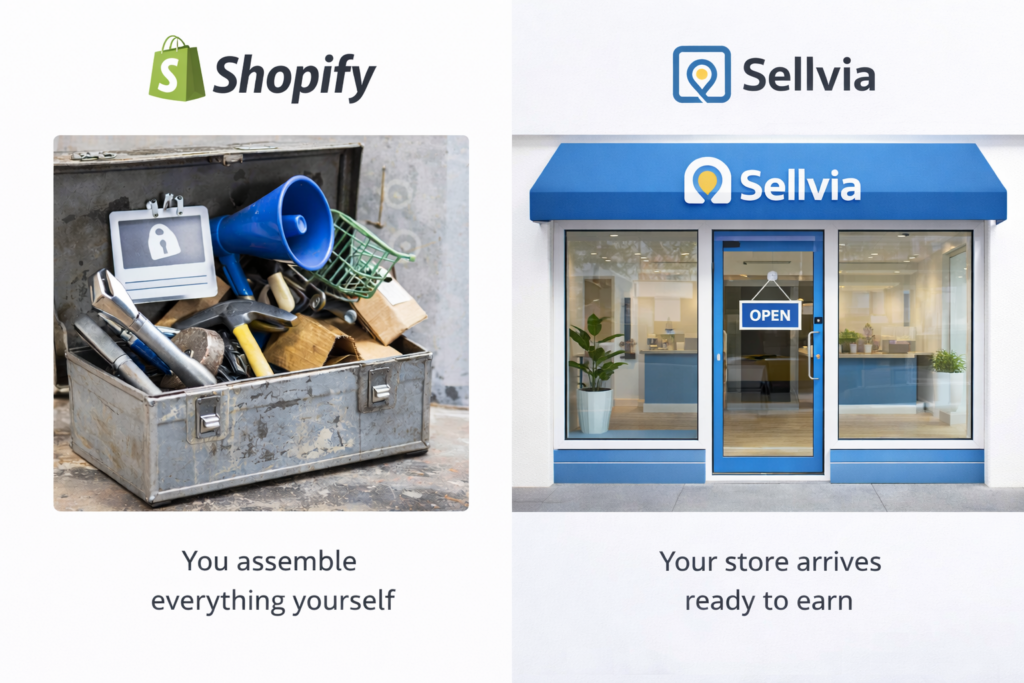
Shopify: A Powerful Blank Canvas
Shopify is one of the world’s most well-known ecommerce platforms. Launched in 2006, it powers millions of stores globally. What it gives you is infrastructure: hosting, checkout, payment processing, and a customizable storefront.
What it does NOT give you: products to sell, a marketing strategy, advertising tools, or any guidance on how to actually make money. You pay for the platform; everything else is your problem. You need to find suppliers, source products, design your store, write product descriptions, figure out Facebook Ads or Google Ads, and somehow attract customers – all on your own.
For an experienced entrepreneur with a team and a budget, that flexibility is valuable. For someone starting their first online business from scratch, it is a recipe for months of frustration and spending money before seeing a single sale.
Sellvia: A Complete Online Business, Not Just a Platform
Sellvia was founded in 2016 with a different idea: what if the platform did the hard part for you? Instead of handing you tools and wishing you luck, Sellvia builds your store, loads it with digital products from their catalog, and gives you a one-click advertising system that can generate orders on your first day.
The positioning is accurate: Sellvia is the Robinhood of online business. Just like Robinhood made stock investing accessible to regular people who had no broker and no finance background, Sellvia makes running an online store accessible to people who have no tech skills, no marketing experience, and no time to waste learning complicated software.
Over 1,500,000 stores have been launched through the platform, with store owners collectively earning over $1.5 billion. That is not marketing language – those are the numbers behind a platform that has been quietly helping regular people build income streams for nearly a decade.
2. Setup and Ease of Use
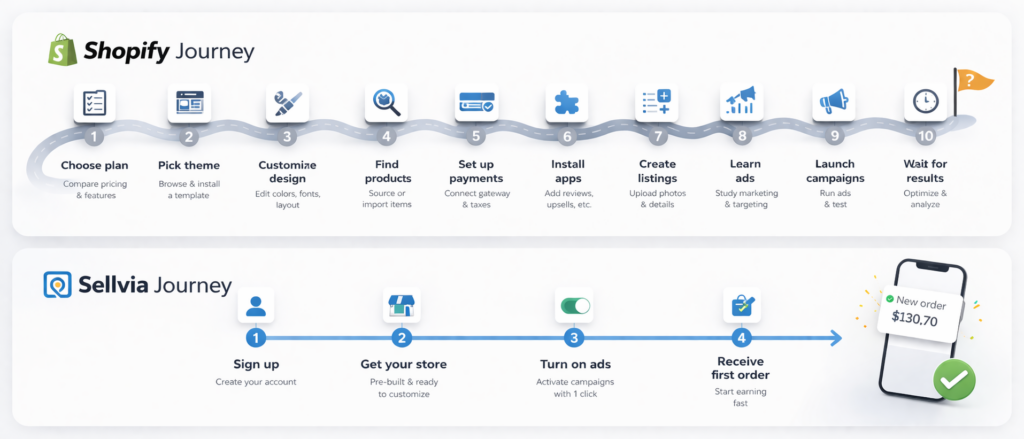
This is where the comparison becomes stark.
Shopify Setup: A Multi-Week Project
Getting a Shopify store to the point where it can realistically attract paying customers is a significant project. Here is what you are looking at:
- Choose a plan and sign up
- Select a theme (free options are limited; premium themes cost $180-$350)
- Customize your storefront – colors, layout, fonts, brand elements
- Find products to sell – requires researching suppliers, negotiating costs, evaluating margins
- Write product descriptions, upload photos
- Set up payment processing
- Configure shipping rules and tax settings
- Learn a third-party advertising platform (Facebook Ads, Google Ads) or hire someone
- Drive traffic to your store and hope it converts
None of these steps are particularly easy for a first-timer. Shopify does offer tutorials and a help center, but the platform assumes you know what you are doing – or that you will pay someone who does.
A realistic estimate for getting a Shopify store operational and generating consistent sales: 2 to 4 months, plus ongoing weekly work managing inventory, ads, and customer service.
Sellvia Setup: Measured in Minutes
Sellvia’s setup process is by design the opposite of Shopify’s. You sign up, and the platform builds your store for you. Digital products from the Sellvia catalog are loaded in. Your personal growth manager contacts you via SMS to walk you through the first steps. Then you turn on the built-in ad system and start getting traffic.
Most people who activate their Sellvia store and launch ads on day one receive their first orders within 24 hours. That is not a guarantee, but it is a documented pattern across the platform’s user base. Compare that to the typical Shopify timeline and the difference in experience is enormous.
Sellvia is also fully functional on a smartphone. You do not need a laptop or desktop computer. For a significant portion of people starting out – especially those in smaller towns, those on fixed incomes, or those who simply do not own a computer – this is not a convenience, it is a requirement.
3. Products: What Are You Actually Selling?
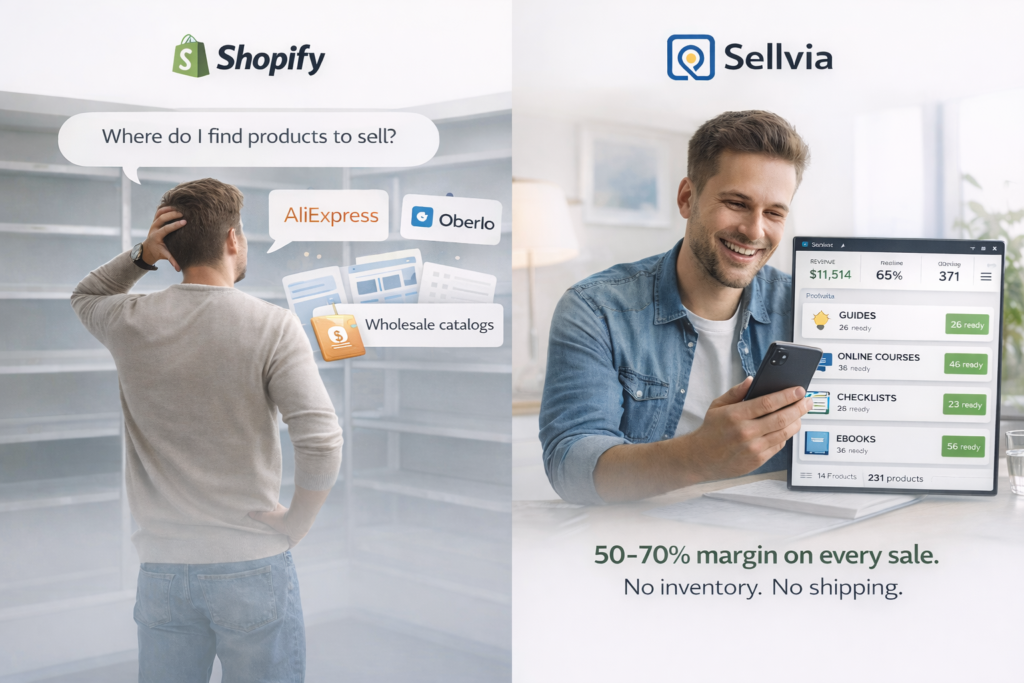
Shopify: You Are on Your Own
Shopify does not include products. Full stop. You are responsible for sourcing everything you sell. That means researching suppliers, vetting product quality, calculating margins, dealing with out-of-stock situations, and managing shipping timelines. There is an app ecosystem – Oberlo is gone, but DSers, Zendrop, and others remain – but each adds cost, complexity, and another layer to manage.
For physical products, you also deal with returns, disputes, and the endless headache of supplier reliability. One bad supplier review cycle can tank your store’s reputation before you even build one.
Sellvia: Products Included – Digital, Instant, High-Margin
Sellvia’s catalog is built in. Customers choose from a library of digital products – guides, courses, checklists, templates, tools, and other downloadable content. These products are created by Sellvia and provided directly to store owners to sell.
What this means in practice:
- No inventory – nothing to stock, no physical goods to manage
- No shipping – products are delivered digitally and instantly after purchase
- No returns headache – digital delivery means no ‘I never received it’ complaints
- 50 to 70% margin per sale – the store owner keeps the majority of each transaction
A store owner selling a $30 digital guide keeps roughly $15 to $21 per sale. Multiply that across a steady flow of orders driven by the built-in ad system and you have a legitimate income stream – without ever touching a physical product.
This model removes the single biggest operational nightmare of traditional ecommerce: logistics.
4. Built-In Advertising – The Biggest Differentiator
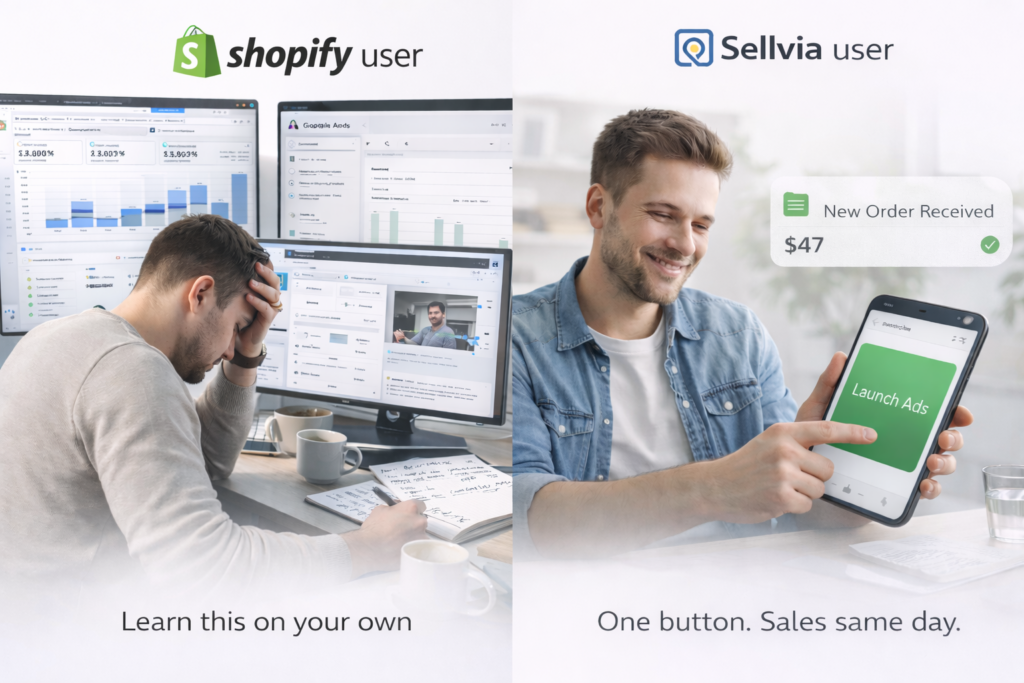
This is the part of the comparison that most review sites miss – and it is the most important one.
Shopify: You Must Build Your Own Marketing from Scratch
Shopify is a store, not a marketing system. Getting customers to that store is entirely your job. Your options are:
- Learn Facebook Ads or Google Ads yourself – a steep learning curve that costs real money while you figure it out
- Hire a marketing agency or freelancer – adds hundreds or thousands per month to your operating costs
- Try to rank in Google organically – takes 6 to 12 months minimum to see meaningful results
- Use Shopify’s email marketing or social media tools – helpful, but they do not replace a paid traffic strategy
The typical Shopify beginner spends 3 to 6 months and significant money learning ads before they see consistent returns. Many do not make it that far.
Sellvia: One-Click Ads That Work from Day One
Sellvia’s built-in advertising system is the single biggest reason people choose it over every other platform in this category – and the hardest thing for competitors to copy.
Here is what “built-in” actually means in practice. You do not open a separate Facebook Ads account. You do not connect a Google Ads dashboard. You do not hire a freelancer to set up campaigns. You open your Sellvia store, set a daily budget anywhere between $10 and $50, and press one button. The system handles audience targeting, ad creative, placement, and ongoing optimization without you touching any of it.
Most store owners who activate ads on day one receive their first orders within 24 hours. That timeline sounds like a marketing promise – but it is the documented result of a system that has been refined across more than 1.5 million stores. The targeting works because Sellvia already knows what converts. They have the data. You benefit from it immediately.
The free trial makes the stakes even lower. Every new store comes with a $40 advertising coupon built in. At a $10 daily budget, that covers your first four days of ads entirely. You are not risking your own money to test whether this works – you are running real campaigns with real traffic before you have paid a single dollar out of pocket.
Compare that to Shopify. To run ads on Shopify, you first need to learn either Facebook Ads Manager or Google Ads – both of which have steep learning curves and a real cost of failure while you figure them out. Most beginners spend $200 to $500 experimenting with ads before they see a positive return, if they get there at all. Many give up before that point.
Wix, BigCommerce, and every other major ecommerce builder have the same problem. They give you a store. Getting customers to that store is entirely your responsibility. Sellvia is the only platform in this category that treats customer acquisition as part of the product – not an afterthought.
For someone starting their first online business with a limited budget and no marketing background, this difference is not a minor feature gap. It is the difference between seeing results in the first week and spending three months learning software before a single sale comes in.
5. Pricing: What You Actually Pay
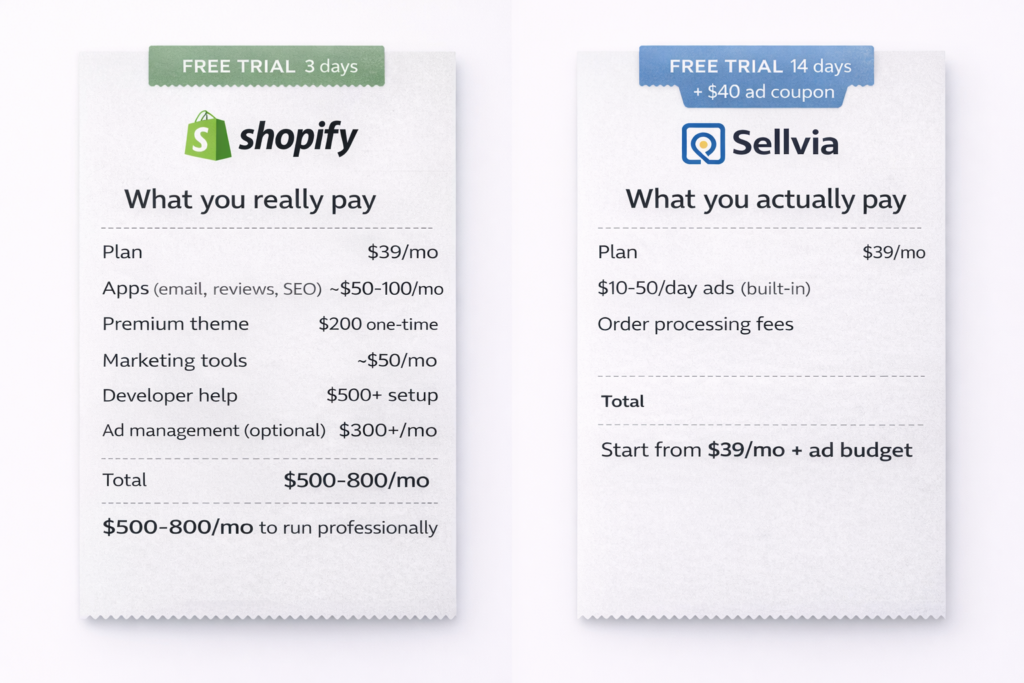
Pricing is where most platform comparisons get dishonest. They put the base monthly fee in a table, declare a winner, and move on. That approach misses the point entirely – because the base fee is rarely what you actually pay.
Here is a complete, realistic breakdown of what running each platform costs in 2026.
Shopify: The Number on the Pricing Page Is Just the Beginning
Shopify’s Basic plan is listed at $39 per month. That number is real. What it buys you is access to the platform infrastructure – hosting, checkout, and a storefront you still have to build and fill yourself. The moment you try to run a serious store, the costs stack up fast.
The subscription itself:
Shopify currently offers four main tiers. Basic at $39 per month (or $29 with annual billing). The Grow plan – previously called simply “Shopify” – at $105 per month ($79 annually). Advanced at $399 per month ($299 annually). And Shopify Plus starting at $2,300 per month for enterprise operations. Most beginners start on Basic, but many find themselves upgrading within a few months as their needs outgrow the entry tier.
Payment processing fees:
On the Basic plan, Shopify Payments charges 2.9% plus 30 cents on every online transaction. That percentage drops on higher plans – 2.6% on Grow, 2.4% on Advanced – but you have to pay more per month to unlock those lower rates. If you choose to use a third-party payment processor instead of Shopify Payments, you pay an additional transaction fee on top of whatever your processor charges: 2% on Basic, 1% on Grow, 0.6% on Advanced. These fees compound quickly at any real sales volume.
Themes:
Shopify offers a small selection of free themes. They are functional but visually generic, and most store owners feel pressure to upgrade to a premium theme to look credible. Premium Shopify themes typically cost between $180 and $350 as a one-time purchase. Not catastrophic, but it is money you spend before making your first sale.
Apps – the hidden engine of real Shopify costs:
This is where the budget quietly doubles. Shopify’s base platform is deliberately lean. To run a store the way it needs to be run, most merchants end up installing a stack of third-party apps:
- Email marketing (Klaviyo, Omnisend): $20-$80/month depending on list size
- Product reviews app (Judge.me, Loox): $15-$30/month
- SEO optimization tools: $20-$50/month
- Upsell and cross-sell apps: $20-$40/month
- Abandoned cart recovery beyond basics: $20-$30/month
- Customer support chat: $20-$50/month
- Analytics and reporting beyond built-in: $30-$60/month
A modest but functional app stack runs $100 to $300 per month on top of your subscription. An aggressive one runs more. Shopify’s app ecosystem is genuinely impressive – there are over 8,000 apps available. But impressive and free are not the same thing.
Marketing and advertising:
Shopify does not drive traffic to your store. That is your job. Your realistic options are paid ads (Facebook, Google, TikTok), influencer partnerships, organic SEO, or email marketing to a list you build from scratch. Paid ads are the fastest path to sales, but learning to run them profitably takes time and money. A beginner who jumps into Facebook Ads without prior experience will typically spend $300 to $800 in testing before finding a setup that works – if they get there at all. Hiring someone to manage ads adds $300 to $1,500 per month depending on the freelancer or agency.
The realistic monthly total for a functioning Shopify store:
| Cost Item | Low Estimate | High Estimate |
|---|---|---|
| Basic plan | $39 | $39 |
| Premium theme (amortized) | $15 | $30 |
| Essential apps | $100 | $300 |
| Payment processing (on $3K sales) | $97 | $97 |
| Ad management or learning cost | $200 | $600 |
| Total | ~$450/month | ~$1,066/month |
That is before you account for the time you spend managing everything – product sourcing, customer service, inventory, supplier relationships. Time is not free either.
Sellvia: One Price, One System, No Surprises
Sellvia’s pricing structure is fundamentally different – not because it is cheaper in absolute terms, but because it is complete. You are not buying a platform and then assembling the rest of the business around it. You are buying a running operation.
The monthly plan:
$39 per month after the 14-day free trial. That is roughly $1.30 per day. This covers your store, your digital product catalog, your personal growth manager, and access to the built-in advertising system. No tiers to navigate for core functionality. No pressure to upgrade to unlock essential features.
Advertising costs:
The built-in ad system runs on a daily budget you set yourself, between $10 and $50 per day. This is your primary variable cost and the main lever you control. At $10 per day, your monthly ad spend is approximately $300. At $30 per day, it is around $900. These numbers are transparent and predictable – you decide what you spend, and you can adjust or pause at any time.
Critically, this is not an additional platform fee. You are spending money on actual advertising that drives real customers to your store. Every dollar goes toward getting orders, not toward maintaining software infrastructure.
The $40 free ad coupon:
Every new store comes with $40 in advertising credit included in the free trial. At a $10 daily budget, that is four full days of live advertising before you spend anything. Most store owners see their first orders during that window. The trial period is 14 days – nearly five times longer than Shopify’s 3-day free trial – with real ad credit attached.
Order processing fees:
When a sale is made in your store, there is a per-order processing fee to deliver the digital product to your buyer. This is the one cost that is worth understanding clearly before you start. It is charged per transaction and comes out of your margin. Since Sellvia’s digital products carry 50 to 70 percent margins, the processing fee is covered within the profit on each sale – but it is a real cost and should not come as a surprise.
What you are NOT paying for on Sellvia:
This is the comparison that matters most. Sellvia’s $39/month replaces costs that Shopify merchants pay separately:
- No theme purchase needed – your store design is handled
- No product sourcing cost – the catalog is built in
- No email marketing platform – covered
- No separate ad management tool – the system is built in
- No marketing agency or freelancer – the ad system runs itself
- No developer for setup – the store is built for you
The realistic monthly total for a functioning Sellvia store:
| Cost Item | Low Estimate | High Estimate |
|---|---|---|
| Monthly plan | $39 | $39 |
| Ad spend ($10-$30/day) | $300 | $900 |
| Order processing fees | Variable | Variable |
| Total | ~$340/month | ~$940/month |
The difference from Shopify is not just in the numbers – it is in the predictability and in what each dollar actually buys. With Shopify, a significant portion of your monthly spend goes toward tools, infrastructure, and learning. With Sellvia, almost all of it goes toward getting customers and generating revenue.
The Bottom Line on Pricing
If you compare the base subscription fees, Shopify and Sellvia cost the same: $39 per month. But that comparison is misleading in Shopify’s favor.
A Shopify store needs apps, a theme, traffic, and marketing expertise to function. A Sellvia store needs a monthly plan and an ad budget. For someone starting out with limited capital and no prior experience, that distinction determines whether the business is viable in the first place.
The 14-day free trial with $40 in ad credit means you can validate Sellvia’s model before committing to anything. Run the ads, watch the orders come in, then decide. That is a lower-risk entry point than any other platform in this category currently offers.
6. Support and Guidance
Shopify Support: Documentation and Chat
Shopify has an extensive help center, community forums, and 24/7 chat support. For technical problems with the platform itself, support is generally responsive. For questions like ‘why am I not making any sales?’ or ‘how should I set up my ads?’ – that is outside what their support covers. You are pointed to the blog, the partner ecosystem, or the user community.
Shopify Support: Documentation and Chat
Shopify has an extensive help center, community forums, and 24/7 chat support. For technical problems with the platform itself, support is generally responsive. For questions like ‘why am I not making any sales?’ or ‘how should I set up my ads?’ – that is outside what their support covers. You are pointed to the blog, the partner ecosystem, or the user community.
Sellvia Support: A Personal Growth Manager
Sellvia assigns every new store owner a personal growth manager who contacts them via SMS. This is not an automated bot. This is someone whose job is to make sure you activate your store, understand the ad system, and start getting results.
For a first-time business owner – especially someone who only has a phone and no prior experience – this difference is enormous. Having a real person walk you through the first steps is not a luxury. For many of Sellvia’s customers, it is the difference between quitting after day two and staying long enough to see their first sale.
7. What Real Users Say: The Independent Verdict
Platform companies control their own marketing. What they cannot control is what happens on Reddit threads at 11pm, in BBB complaint logs, or in the review sections of G2 and Trustpilot where verified buyers leave honest feedback after months of actual use.
That is where the real comparison happens.
Shopify: Powerful Platform, Steep Learning Curve
The consistent theme across independent Shopify reviews is not that the platform is bad – it is that the gap between expectation and reality hits beginners fast and hard.
Before getting into the reviews themselves, one data quality issue is worth flagging. Shopify’s presence on Reddit is unusually aggressive for a platform of its size. Longtime users across r/shopify, r/ecommerce, r/entrepreneur, and r/SideHustle have repeatedly called out a consistent pattern: threads where a new user asks about starting an online store, and within minutes multiple accounts appear recommending Shopify with near-identical talking points. The accounts involved typically have short histories, no activity outside ecommerce threads, and responses that read more like support scripts than genuine user experience. Threads pointing this out tend to get upvoted by users who noticed the same thing independently.
This does not mean every positive Shopify review on Reddit is manufactured. The platform has millions of real users and genuine advocates. But it does mean Reddit – normally one of the more reliable sources of unfiltered peer opinion – is a compromised data source when it comes to Shopify specifically. You have to read those threads with more skepticism than usual. When a company invests this heavily in managing its reputation on a platform built around authentic discussion, it raises a reasonable question: if the product speaks for itself, why does the conversation need this much help?
Setting that aside and looking at verified reviews on G2, Trustpilot, and BBB – where accounts are harder to fabricate at scale – the picture that emerges is more nuanced but consistent in its friction points.
New store owners repeatedly describe the same arc. Week one goes toward choosing a theme and learning the dashboard. Week two reveals that having a store and having products that actually sell are two completely different problems. Week three involves an attempt at paid advertising that burns through $200 to $300 with minimal return. By month two, many have spent $500 or more and made little to nothing back.
The recurring complaints that show up across independent sources:
The app ecosystem is expensive and unavoidable. Almost every verified review from a real Shopify merchant mentions that the base platform requires a stack of paid third-party apps to function at a competitive level. Email marketing, product reviews, upsells, SEO tools, abandoned cart recovery – none of it is included in a meaningful way at the Basic tier. What presents itself as a $39/month platform becomes a $200 to $400/month operation once you add what should arguably be standard features.
Support handles technical problems, not business ones. Shopify’s customer service is responsive when something breaks on the platform side. When the question shifts to “why am I not making any sales” or “how do I set up ads that actually work,” the answer is essentially: consult the blog, find a partner agency, or figure it out yourself. The platform does not see revenue generation as its responsibility.
The advertising learning curve costs real money. Running paid traffic profitably is a skill that takes months and real budget to develop. Most beginners pay their tuition in wasted ad spend before they find a setup that works – and a significant portion do not make it that far before giving up.
None of this makes Shopify the wrong choice for everyone. Merchants who arrive with prior experience, a validated product, and capital to invest consistently report strong results. The problem is not the platform – it is the mismatch between what beginners are led to expect and what the platform actually demands from them to produce results.
Sellvia: The Friction Points Are Different
Sellvia’s independent reviews tell a different story – not without criticism, but the nature of the complaints is revealing.
The most common positive pattern: store owners who activate the built-in ad system and follow the setup process report seeing orders faster than they expected. First-day or first-week sales are a recurring theme in verified user accounts. For people who have tried other platforms and spent months without a single order, this is significant.
The most common criticism: the order processing fee catches new users off guard. Some sign up expecting the free trial to mean genuinely zero cost, then discover that when orders come in, there is a fee to fulfill them. This is a transparency issue in onboarding, not a flaw in the platform itself – but it is worth knowing upfront. When a sale is made, there is a processing cost that comes out of the margin. Since digital products carry 50 to 70 percent margins, the math still works in the store owner’s favor – but the surprise factor frustrates people who were not expecting it.
The second most common criticism: users who do not engage with the ad system or their growth manager tend to see no results. Sellvia is not a passive income machine. It requires you to turn on the ads, stay engaged with the process, and give it enough runway to work. Users who treat the trial as a set-and-forget experiment and then complain it did not work largely skipped the step that drives results.
The Pattern That Matters
Read enough independent reviews of both platforms and a clear picture emerges.
Shopify users who struggle do so because the platform demands more than they were prepared to give – more technical knowledge, more marketing expertise, more money, more time. The platform is not the problem. The mismatch between what beginners expect and what the platform actually requires is the problem.
Sellvia users who struggle do so because they did not engage with the system that makes it work – primarily the built-in ads and the growth manager support. The path to results is laid out clearly. The users who follow it report results. The ones who do not, do not.
That distinction matters. One platform’s failure mode is that it asks too much of beginners. The other’s failure mode is that beginners sometimes do not take the steps that are explicitly laid out for them.
For someone starting their first online business, the second failure mode is significantly easier to avoid.
8. Who Should Use Each Platform?
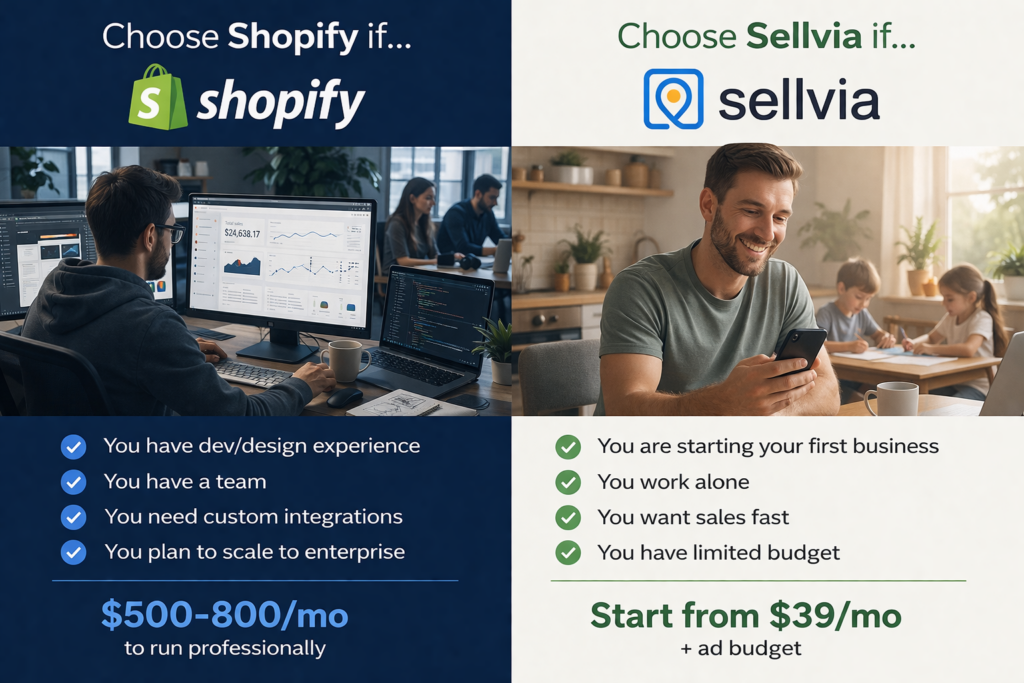
Shopify Is a Good Fit If:
- You have prior experience with ecommerce or web development
- You have a team to handle design, marketing, and operations
- You want to build a brand around physical products over a long timeline
- You have capital to invest in apps, themes, marketing, and potentially a developer
- You plan to scale to high volume and need enterprise-level infrastructure
Sellvia Is a Good Fit If:
- You are starting your first online business and have no prior experience
- You want to see real results quickly without a months-long learning curve
- Your budget is limited and you need every dollar to count
- You work primarily or exclusively from a phone
- You want a business that includes products and marketing, not just a storefront
- You want a personal support system to guide you through the early stages
The honest reality is that Shopify’s model works well for experienced operators. Sellvia’s model was built for everyone else – and in the United States, everyone else is most people.
9. The Verdict: What Does the Data Say?
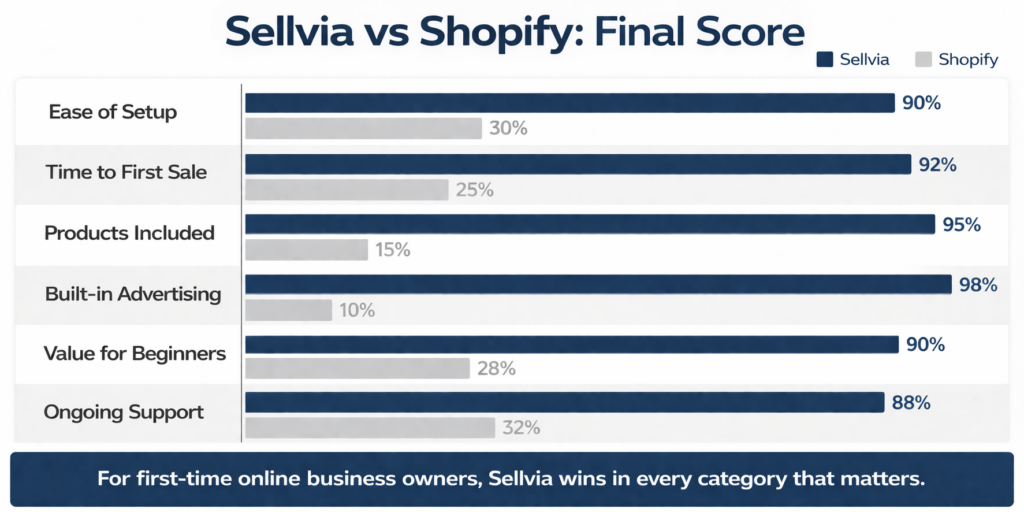
After reviewing both platforms across every major dimension – setup, products, advertising, pricing, support, and verified track record – the conclusion is consistent:
For someone starting their first online business in 2026, Sellvia is the stronger choice. Not because Shopify is bad, but because Shopify is not built for where most people actually are when they start.
Shopify hands you an empty building and tells you to fill it. Sellvia hands you a running business and tells you to turn it on.
The 14-day free trial with the $40 ad credit means there is effectively no risk to testing it. You can see within the first week whether the platform delivers results before deciding whether the $39/month plan makes sense for your situation.
If you are at the stage of researching platforms, the next step is simple: sign up for the Sellvia free trial, activate the ad system, and see whether your first sale arrives before your first week is up. Most people who do that do not go back to looking at Shopify.
Frequently Asked Questions
Is Sellvia better than Shopify for beginners?
Yes. Sellvia is purpose-built for people with no prior experience. It provides the store, the products, the advertising system, and personal support. Shopify requires you to source products, build marketing, and figure out the platform largely on your own.
What is the real cost of Shopify vs Sellvia?
Shopify’s Basic plan starts at $39/month, but a functional store realistically costs $200-$600+ per month when you add apps, a theme, and marketing tools. Sellvia costs $39/month plus your chosen daily ad budget (minimum $10/day). The total is more predictable and lower for most beginners.
How long does it take to get a first sale on each platform?
On Shopify, most beginners take weeks to months to generate consistent sales – after learning ads, setting up products, and driving traffic. On Sellvia, store owners who activate the built-in ad system typically see first orders within 24 hours.
Does Sellvia work on a phone?
Yes. Sellvia is designed to work fully from a smartphone. Shopify has a mobile app, but managing a Shopify store effectively – especially ads and product sourcing – typically requires a desktop computer.
Can I make real money with Sellvia?
The platform has facilitated over $1.5 billion in earnings across its user base since 2016. Store owners earn 50-70% margin on digital product sales. Results vary based on ad spend, market, and engagement with the platform – but the business model is proven.
This review is based on publicly available platform information as of 2026. Pricing and features may change. ecomreality.com does not have an affiliate relationship with either platform reviewed.
20 responses to “Sellvia vs Shopify 2026: Which Platform Actually Gets You Selling?”
-
Been on both sides of this, and honestly this comparison is closer to reality than most of the fluff out there.
Shopify is great if you already know what you’re doing. If you have a product strategy, understand paid traffic, know how to structure a store, and don’t mind stitching together apps, then sure – it gives you a lot of freedom. But that freedom gets romanticized way too much. For a lot of people it just means more places to make expensive mistakes.
What pushed me more toward Sellvia was not that it was “easier” in some lazy sense, but that it removed the dead weight. No chasing suppliers, no rebuilding the store every five minutes, no spending weeks setting things up before you even know whether the thing has legs. The system is narrower, yes, but that is exactly why it works better for a lot of real users.
I would not say Sellvia is for people who want maximum control. It is for people who want a cleaner path to actual sales. After dealing with both models, I think that’s a trade worth making.
-
Pretty much this.
The “freedom” argument for Shopify always comes from people who’ve already figured out what they need the freedom for. When you’re starting out you don’t know that yet – so the flexibility is just optionality you can’t use and overhead you didn’t ask for. The narrower system thing is real. Constraints force focus and focus is actually what most people need early on, not more choices.-
I spent like 4 months on Shopify “customizing” my store before I made a single dollar lol. Switched to Sellvia and had orders coming in within 2 weeks. Sometimes the constraint IS the advantage 💯
-
-
-
Solid breakdown. The point about expectations vs how the platform actually works is spot on. Clear n practical
-
Fr fr, i hate shopify for this ngl
-
-
I used Shopify before and the weird part is it never felt like I was running a business – it felt like I was endlessly preparing to maybe run one. Theme tweaks, apps, product research, random setup stuff… a lot of motion, not much momentum. Sellvia felt more constrained, sure, but way more practical. I’d rather work inside a system that actually gets me to the selling part than keep paying for flexibility I’m not really ready to use.
-
That was my takeaway too. Shopify gives you room to build almost anything, but that also means it gives you room to get lost. Sellvia feels more constrained, but for a lot of people that structure is exactly what makes it usable. Not better for every case, just better aligned with people who want momentum sooner instead of endless setup.
-
Same here. After a while you stop judging platforms by how many features they have and start judging them by how much unnecessary drag they create.
Shopify gives you theoretical freedom, but in practice that often means you’re the one absorbing all the weak points in the system – sourcing, setup, app conflicts, ad mistakes, random workflow bloat. That is manageable if you already have strong ops and a clear model. If not, it becomes an expensive way to stay busy.
What I respect about Sellvia is that it narrows the decision surface. Less room for customization, sure, but also less room to bleed time and money on things that are not directly tied to sales. For a lot of operators, especially early on, that trade is not a compromise. It is just better business design.
-
Honestly, that’s the part a lot of comparisons miss: beginners do not fail because they lacked “more platform.” They fail because they got buried under setup, sourcing, apps, and marketing before they ever reached a real selling rhythm. Sellvia makes more sense in that context because it removes a lot of that early friction and gives people a cleaner path to actual orders. For someone trying to start, not engineer an entire ecommerce stack from scratch, that advantage is huge.
-
This Sellvia review explains the main thing I wish I understood earlier: a store alone is not a business. You still need products, traffic, and a simple way to start selling. That is where Sellvia looks more practical for beginners. It does not feel like another empty dashboard where you have to figure out everything yourself.
-
This review made me think about Sellvia less like an “online store tool” and more like training wheels for business execution. Not in a bad way either. Sometimes training wheels are exactly what keep you from faceplanting in the first week.
The part I’d watch most is discipline with the ad budget. The setup sounds simple, but simple does not mean careless. Start small, read the dashboard, don’t get emotional after one slow day, and treat it like a real test. That’s where Sellvia seems useful: it gives beginners a cleaner testing environment instead of throwing them into the deep end with ten tabs open and no clue what matters.
-
This Sellvia review says it pretty clear. I tried Shopify before and got stuck on the boring setup stuff before even getting to sales. With Sellvia, at least the store, products, and ads are already there, so a normal beginner can actually start instead of just watching tutorials forever.
-
ran shopify for 8 months before switching to sellvia. for beginners the difference is the “blank canvas” problem – shopify gives you nothing and assumes you know what to put there. sellvia hands you something already running. way faster to actual results when you’re still learning.
-
nobody mentions the real total cost of shopify. base sub is the smallest line item. theme + 5-10 apps at $30-50/mo each + payment processing + learning ads or hiring help. real ongoing cost is north of $200/mo. sellvia’s $39 plus ad spend is actually cheaper than people realize 💸
-
Funny thing is I used to think Shopify was the “serious” option and Sellvia was some shortcut. Then I spent like 2 weeks just trying to make my Shopify store look normal lol. This Sellvia review explained something I didn’t really get before: sometimes less freedom is actually better when you’re new and just want to start.
-
The 24-hour first order claim caught my attention since I’m always skeptical of these promises, but the built-in ad automation actually makes sense for someone like me who doesn’t have time to learn Facebook ads from scratch.
-
[…] If you found this useful, the following articles go deeper on the platform-specific versions of this problem: Sellvia Complete Guide and Review · Shopify Problems & Complaints · Sellvia vs Shopify […]
-
[…] is where a different category of platform starts to make sense. Some tools – Sellvia being the most discussed example in 2026 – bundle the store, the product catalog, and a traffic system into one subscription. […]
-
After my third sale I checked the payments tab and the $100 minimum withdrawal had already been crossed – 2 commissions stacked faster than I expected, the third pushed me over, and that number made the whole “platform does the work” claim in this review feel less like marketing and more like math.
-
The margin breakdown in your comparison table is honestly what made me stop scrolling because before I tried this thing I was mentally calculating $39 and calling it a day, completely ignoring what I was about to spend layering on ad tools, themes, and everything else just to get a functioning store. After about 6 weeks I crossed the $100 withdrawal threshold and actually moved real money to my bank account, which felt different from any previous attempt where I was technically “running a store” but had no idea where my margins were going. The 50-70% profit range on digital products is what changed the math for me as someone used to food cost percentages eating into everything – there is no spoilage, no waste, no mystery overhead swallowing the number before I see it. Before I started I had a rough spreadsheet full of guesses; after I had an actual withdrawal confirmation and a clearer picture of what the ad spend was returning versus what I was keeping. The built-in ad system being included in the base price instead of bolted on separately is the part your table captures but people still underestimate until they price out the alternative on their own.



Jo Carter is an editor and ecommerce researcher at Ecom Reality, where she covers ecommerce platforms, digital selling tools, online business software, pricing models, and emerging industry trends. She focuses on turning complex platform features and costs into clear, practical information for entrepreneurs and digital sellers. Her work combines detailed research with a balanced editorial approach, helping readers compare services, understand potential limitations, and choose tools that fit their business goals.
Related Articles

Leave a Reply