
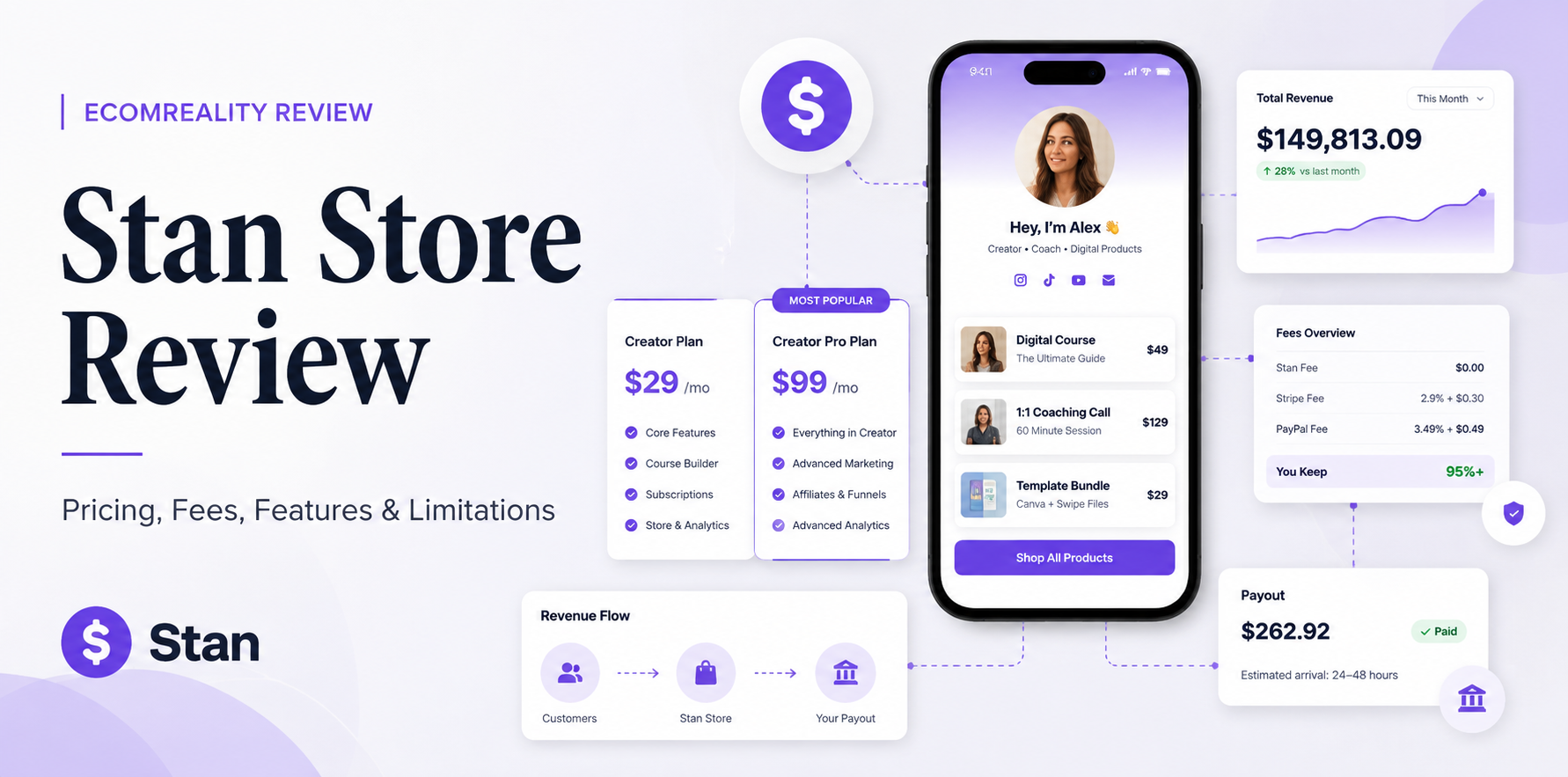
Stan Store is easy to understand at the surface: a link-in-bio storefront, a flat subscription and no Stan percentage fee on standard sales. The more useful review begins one step later—after a follower becomes a buyer and the creator has to manage payments, cash-out timing, refunds, taxes, payment plans and the limits of a social-first storefront.
For company-level information, moderated user feedback and the current EcomReality rating, see the Stan Store company profile and customer reviews.
Quick Verdict
Stan Store is a strong fit for creators who already generate attention on Instagram, TikTok, YouTube or similar channels and want a short path from that attention to a digital-product sale, booking, course or membership. The base Creator plan covers more of the actual selling workflow than its simple storefront appearance suggests, while Creator Pro becomes useful when marketing itself becomes a system—email flows, funnels, payment plans, affiliates, order bumps and conversion tracking.
The main limitation is structural rather than dramatic: Stan is built around social-first conversion, not around becoming a fully independent content site, advanced CRM or deep ecommerce operating system. For the right creator, that specialization is an advantage.
Research note: This review uses Stan’s current Help Center as the primary source for plan pricing, transaction fees, cash-out rules, refunds, taxes, payment plans and cancellation mechanics. Stripe or PayPal charges are kept separate from Stan’s own subscription and platform fee. No customer sale, payout, refund or chargeback is presented as personal experience unless it was actually run.
Stan Makes More Sense as a Workflow Than as a Feature List
Stan is often described as a link-in-bio store, which is technically true but incomplete. The product makes more sense when the whole creator workflow is visible. A follower sees a post or receives an automated Instagram response, lands on a Stan storefront or funnel, buys through a Stripe- or PayPal-powered checkout, receives the product or booking confirmation, and the creator later sees the transaction move through Stan’s Income area before cashing out eligible Stripe funds.

This is the part that distinguishes Stan from a generic store builder. Its strongest use case is not “I need a website.” It is “I already have attention and need a compact conversion system around it.” That is also why comparing Stan only by counting features against Shopify, WooCommerce or a dedicated email platform can be misleading. Those products are solving wider problems.
EcomReality’s broader guide to the best platforms to sell digital products covers the higher-level platform categories. This review stays narrower: what it costs to run Stan, what actually happens after checkout, and where the platform’s boundaries become visible.
Start With the Sale, Not the Subscription
Stan’s pricing is easy to summarize: Creator costs $29 per month or $300 per year, while Creator Pro costs $99 per month or $948 per year. Stan currently says it takes 0% of transactions made on the platform. That does not mean a sale is free to process. Stan uses Stripe and PayPal for payment processing, and those processors charge their own fees.
For a US creator using Stripe, Stan currently publishes a standard card purchase fee of 2.9% + $0.30 per transaction. It also lists an additional 1.5% fee when the customer is in another country, plus separate charges for certain payment methods and currency situations. The exact rate therefore varies by seller location, buyer location, payment method and currency.

| Sale price | 2.9% + $0.30 processing | Approx. amount after processing |
|---|---|---|
| $25 digital download | $1.03 | $23.97 |
| $50 digital product | $1.75 | $48.25 |
| $100 course or coaching offer | $3.20 | $96.80 |
These are examples, not universal fee quotes. They use the US domestic rate currently published in Stan’s transaction-fee documentation. Taxes, international surcharges, currency conversion, alternative payment methods, refunds, affiliates and other operating costs are not included.
Stripe cash-outs inside Stan also have a separate payout charge. Stan’s current US documentation lists 0.25% + $0.25 per payout, with a $1 minimum. That cost attaches to the payout, not to each individual order. A creator who groups many sales into one cash-out is therefore experiencing the payout fee differently from someone with only a small available balance.
Direct answer: Stan currently takes 0% as its own transaction fee on standard platform sales. Payment processing is still charged separately by Stripe or PayPal, so “0% Stan fee” should never be read as “0% total cost of payment.”
The Subscription Cost Per Order Changes the Economics
A fixed subscription behaves differently from a percentage-based platform fee. The cleanest way to see that is to allocate the monthly subscription across the number of orders processed in that month. This is not a transaction fee. It is simply the fixed platform cost divided by order count.
| Orders per month | Creator — $29/mo | Creator Pro — $99/mo |
|---|---|---|
| 5 | $5.80/order | $19.80/order |
| 20 | $1.45/order | $4.95/order |
| 50 | $0.58/order | $1.98/order |
| 100 | $0.29/order | $0.99/order |
This is why Stan can look relatively expensive when a store is barely selling and much more efficient once sales volume becomes consistent. The important point is not to predict that every creator will reach a specific volume. It is to understand the cost behavior: Stan’s subscription is fixed while processor fees scale with transactions.
For readers comparing several platforms at their own volume, the Ecommerce Platform Cost Calculator is a better place to compare different fee models. This Stan review keeps the arithmetic transaction-level so it does not duplicate EcomReality’s broader cost-comparison work.
Creator vs Creator Pro Is a Workflow Decision
The most useful difference between Stan’s two plans is not the number of checkmarks on the pricing page. Creator runs the core store. Creator Pro adds the systems that try to improve conversion, repeat contact and average order value.
Creator
Creator is enough when Stan is primarily the storefront, checkout and delivery layer. Current documentation includes the mobile storefront, booking tools, analytics, unlimited course building, recurring subscriptions, lead magnets, community features and Stan AutoDM.
- Digital downloads and simple offers
- Courses and memberships
- Coaching bookings
- Lead capture
- Basic store and product analytics
- Instagram AutoDM
Creator Pro
Creator Pro starts making sense when the creator needs marketing systems around the store rather than only the store itself. Current Pro features include payment plans, discounting, upsells, funnels, affiliates, email marketing and pixel tracking.
- Email Broadcasts and Email Flows
- Funnels and upsell/downsell paths
- Order bumps and discounts
- Affiliate management
- Payment plans, Afterpay and Klarna
- Meta, Google, Pinterest and TikTok pixel tracking

| I need to… | Creator | Creator Pro | Why it matters |
|---|---|---|---|
| Sell a download, course or coaching session | Yes | Yes | Core offer and delivery functions are available without Pro. |
| Collect leads with a freebie | Yes | Yes | Lead magnets are part of the base workflow. |
| Automate Instagram responses with AutoDM | Yes | Yes | AutoDM is not limited to Pro under the current plan comparison. |
| Send Email Broadcasts or automated Email Flows | No | Yes | Email marketing is a Pro growth feature. |
| Run funnels, order bumps or discounts | No | Yes | These features change conversion and average order value. |
| Use payment plans, Afterpay or Klarna | No | Yes | Advanced payment options are Pro-only and have their own rules. |
| Track paid campaigns with pixels | No | Yes | Conversion tracking becomes important once paid acquisition matters. |
| Remove Stan branding from the bottom of the storefront | No | Yes | Stan’s Help Center currently ties storefront-branding removal to Pro. |
Stan also says Email Flows are Pro-only because it absorbs the sending cost and allows unlimited email sending for Pro users. That makes Pro potentially useful for a creator who would otherwise pay separately for a basic email platform—but it does not automatically mean Stan replaces every dedicated ESP. Advanced segmentation, highly branched automation and specialized deliverability tooling can still justify a separate email platform at scale.
One correction that matters for branding: Creator Pro can remove Stan branding from the bottom of the storefront. That should not be exaggerated into a claim that every checkout element or every Stan-generated email becomes unbranded. Stan’s confirmation-email documentation specifically says the Stan logo cannot currently be removed from those confirmation emails.
What the $29 Plan Can Replace — and What It Cannot
Stan’s economic value is easiest to see when it removes subscriptions the creator was already paying elsewhere. If the business needs a hosted bio storefront, digital delivery, scheduling, a small course area and lead collection, Creator can consolidate several jobs into one account. But “all-in-one” has a boundary.
Can often replace
- Link-in-bio landing page
- Basic checkout page
- Digital file delivery
- Simple booking/scheduling layer
- Lead-magnet capture page
Can partially replace
- Course platform
- Email marketing on Pro
- Affiliate software on Pro
- Funnel builder on Pro
- Basic analytics/customer management
Usually still separate
- Independent content/SEO website
- Advanced CRM and segmentation
- Accounting and bookkeeping
- Tax registration and filing
- Specialist analytics/attribution stack
Live coaching is a good example of the distinction. Stan supports coaching calls and can integrate with Zoom or Google Meet, so it can handle the commercial and scheduling side without pretending to be the video-conferencing infrastructure itself. That is a sensible boundary, not a missing ecommerce feature.
What Happens After a Customer Pays
This is one of the most useful differences between reading the pricing page and understanding the actual operating cycle. A successful checkout does not mean the creator can immediately transfer that exact amount to a bank.
For Stripe Custom accounts, Stan’s Income tab distinguishes funds that are still being processed from funds that are available to cash out. Stan’s current documentation says transactions generally take 2–7 business days to settle before becoming available, with first transactions sometimes taking longer because of Stripe’s verification process. Once the balance is eligible, the creator uses the Cash Out control in Stan rather than waiting for an automatic schedule.
Current cash-out rules: Stan requires at least the equivalent of $10 in the Available for Cash Out balance. Partial cash-outs are not supported—you cash out the available balance. Automatic cash-outs are also not currently supported for the normal Stan flow.

Stan says that after a normal cash-out is initiated, the money should generally reach the bank in around 24–48 hours, separate from the earlier period while the transaction is still processing. The Income timeline can show an estimated availability date for individual transactions.

Stan’s current cash-out guide is worth reading before launch because cash flow is operationally different from revenue. The Total Revenue number includes sales before transaction fees, while Available for Cash Out reflects processed Stripe funds after relevant transaction fees.
Instant Payouts are an eligibility feature, not the default
Stripe Instant Payouts can reduce the delay, but creators should not build a starting cash-flow plan around them. Stan currently limits Instant Payout eligibility to the United States and lists three requirements: the Stan account must be active for at least 30 days, the connected payout account must be eligible, and the creator must already have cashed out at least $2,000 using the regular method. Stan also warns that meeting those requirements does not guarantee approval because Stripe controls the feature.

Refund Economics: The Processing Fee Does Not Come Back
Stan lets creators issue customer refunds from the Income tab. The important economic detail is that the payment-processing fee is not returned to the creator when the refund is issued. That means a refunded order can cost more than simply reversing the net amount originally received.
On a hypothetical $50 sale, for example, assume the creator receives the sale less Stripe’s processing charge. If the creator later refunds the full $50, the creator is still responsible for the processor fee that was already charged. This is not a hidden Stan percentage fee; it is part of the processor’s refund economics.
Another practical limitation: Stan’s current refund documentation says partial refunds are not supported. A creator who wants to refund only part of an order cannot currently do that through the standard Stan refund flow.
Stan also makes the division of responsibility clear: creators manage their own product and service refund policies. Stan Support may help a buyer contact a creator, but it does not decide or process product refunds on the creator’s behalf.
Payment Plans Are More Complicated Than a Pro Feature Checkbox
Payment plans are one of the strongest reasons to consider Creator Pro for higher-priced products, but they also expose some of the most Stan-specific operational details in the platform.
Stan Payment Plans
The creator sets the total price, billing interval and number of installments. Stan says the feature itself has no added Stan fee beyond Pro, while normal Stripe processing still applies.
Afterpay / Klarna
These can reduce the creator’s collection risk compared with an in-house installment schedule, but processor fees are higher than a standard card transaction. Stan currently publishes US rates around 6% + $0.30 for Afterpay and 5.99% + $0.30 for Klarna.
Compatibility limits
Stan says payment plans are unavailable with Funnels, Recurring Membership products and products with Order Bumps enabled. Stripe must also be connected; PayPal alone is not enough.
There is also a difference in who carries collection risk. With a Stan Payment Plan, Stan stores the customer’s payment method and sends a reminder if a later payment fails, but the Help Center warns that remaining installments can effectively be lost if the customer never completes them. For a course, the creator may need to manually revoke access after failed payments. For a digital download, access cannot be revoked after delivery. Community access can be removed automatically after a failed payment.
Existing payment schedules continue even if the creator later edits or disables the plan for new customers, and Stan says existing customers remain on their schedule even if the creator downgrades from Pro. There is also no built-in button for a customer to pay the remaining balance early; Stan documents a manual-invoice workaround instead.
Those details matter more than simply writing “Pro includes payment plans.” A creator selling a $1,000 cohort, course or consulting package is making a credit-and-access decision as well as a checkout-design decision. See Stan’s Payment Plan documentation for the current rules.
Disputes Still Run Through the Payment Processor
A chargeback is not the same as a normal refund request. When a buyer disputes a charge with a bank, Stripe manages the card-network dispute process for Stripe-powered transactions. The creator may need to submit evidence such as the product description, customer communication, checkout terms or proof that access was delivered.
The practical takeaway is simple: creators should set a clear refund policy and terms before the first dispute arrives. Stan supports adding Terms & Conditions to products, which is useful evidence of what a buyer agreed to, but no checkbox guarantees that a dispute will be won.
Dispute fees and deadlines can change by processor, account country and card network, so this review does not hard-code a universal chargeback number. The current processor documentation should be checked whenever a real dispute occurs.
What Stan Calculates for Tax — and What It Does Not
Stan’s current tax feature uses Stripe to calculate tax at checkout based on the buyer’s location and product type, but automatic calculation should not be confused with full tax compliance.
Stan currently says its tax feature is available when Stripe is connected and the creator is located in the United States, Canada, United Kingdom, Australia, New Zealand, Switzerland, Norway or an EU country. The creator configures the business location, product tax code and tax registration information. Stripe then calculates the checkout tax in supported regions.
The critical boundary is responsibility. The creator still needs the appropriate tax registrations and is still responsible for reporting, filing and remitting where required. Stan’s Help Center explicitly says Stripe will collect only in registered tax regions and recommends professional advice when the seller operates across several jurisdictions.
For the United States, Stan’s own current help article says its sales-tax feature cannot be enabled in Alaska, Delaware, Montana, New Hampshire or Oregon, and also lists New York and California in its current digital-goods implementation. Rather than generalizing that into a statement about every digital product in those states, creators should treat this as a limitation of Stan’s present tax setup and confirm their actual tax obligations separately.
The current implementation is documented in Stan’s sales-tax guide.
Stan Is Designed Around Traffic You Already Have
Stan does not need to be a full website to be useful. For the creator who already reaches people through short-form video, stories, DMs or a newsletter, the absence of a complex site architecture can be part of the appeal. A person can move from content to offer with fewer navigation decisions than on a conventional multi-page ecommerce site.
The trade-off appears when acquisition itself depends on the website. Stan’s store URL remains stan.store/yourusername. Stan currently does not let a creator host the store directly on a custom domain. Its Help Center suggests redirecting an owned domain to the Stan URL, which is useful for branding at the entry point but is not the same thing as running the store natively on that domain.
That makes Stan structurally different from a search-driven content site. A creator who expects Instagram, TikTok or YouTube to remain the primary discovery engine may never care. A business building hundreds of indexed pages, a large editorial library or a complex brand site will care much earlier.
This is why the question “Is Stan better than a website?” is too broad. The more useful approach is the one in our guide on how to evaluate an ecommerce platform: compare the platform with the acquisition model, workflow and control requirements the business actually has.
Where Stan Starts to Feel Small
When brand ownership matters more than setup speed
The fixed stan.store URL and lack of native custom-domain hosting become more important when the store itself is supposed to be a long-term owned web asset. Creator Pro can remove Stan branding from the bottom of the storefront, but it does not turn Stan into a self-hosted or custom-domain ecommerce site.
When email becomes a sophisticated lifecycle system
Creator Pro can send Email Broadcasts and Email Flows, and Stan says Pro users can send unlimited emails. That is strong for straightforward creator marketing. The limitation appears when the business needs deep segmentation, complicated branching logic, advanced CRM data or specialist deliverability controls. At that point, “included email” and “complete email infrastructure” are two different things.
When the catalog needs site-style navigation
Stan supports unlimited products and unlimited course creation under the current plan documentation, so the limitation is not a small product cap. It is presentation and organization. A compact social storefront is elegant with a focused offer set; it is less naturally suited to the kind of category architecture and information hierarchy a large multi-line catalog may eventually need.
When attribution becomes a finance decision
Creator Pro includes pixel tracking for major advertising platforms, which is enough for many creators. Once ad budgets get large enough that multi-touch attribution, cohort analysis or server-side measurement changes how money is allocated, a dedicated analytics stack can still become necessary.
When subscription management becomes high volume
Stan gives creators customer-management controls and also gives recurring customers ways to manage billing through customer emails. It would be inaccurate to describe the whole lifecycle as manual. The operational burden appears instead at scale: cancellations, failed payments, access changes and exceptional cases still need a clear process, especially across memberships, courses and payment plans.
Cancellation Has an Operational Side
Canceling the creator’s Stan subscription is not the same thing as unwinding every customer relationship inside the store. Stan says the creator keeps account access until the end of the current billing cycle, and it saves products, analytics, emails and other account information so the subscription can later be reactivated.
Funds already processing or available are not forfeited simply because the Stan subscription is canceled. Stan says creators can log back in later to cash out remaining eligible funds.
The part to plan before canceling: Stan explicitly tells creators to manually cancel active customer membership subscriptions before canceling their own Stan account. Otherwise those customers can continue to be charged. Deleting a membership product does not automatically cancel existing membership billing either.
That is a small detail with a large customer-service consequence. A clean shutdown checklist should include outstanding payouts, active memberships, unfinished payment plans, customer access and any promised deliverables—not only the Stan subscription itself.
Four Creator Profiles, Four Different Answers
Instagram creator selling a $29 guide
Coach selling calls and a small course
Creator building a complex email funnel
Search-driven digital brand
Stan Store vs a Percentage-Fee Platform
Stan’s flat-fee model is easier to appreciate when contrasted with a platform that charges a percentage on every sale. The point is not that one model is universally cheaper. A fixed subscription creates more financial exposure when sales are low, while a percentage fee scales automatically with revenue.
Gumroad is a useful contrast because its direct-sale economics are percentage-based rather than subscription-based. Our Gumroad review covers that model in detail. The strategic difference is simple: Stan asks the creator to commit to a predictable software bill; a percentage-fee platform lets the cost rise and fall with sales. Which is better depends on volume, acquisition model and what each platform replaces elsewhere in the stack.
Is Stan Store Worth It?
Stan is easier to justify when…
- You already have an audience or reliable social traffic.
- Your products fit digital delivery, coaching, courses or memberships.
- You value a short mobile path from content to checkout.
- You would otherwise pay for several lightweight creator tools separately.
- You want Pro features because you will actually use funnels, email, affiliates or payment plans.
Stan may be unnecessary when…
- You have little or no traffic to send to the store yet.
- Your main growth engine is a large independent SEO/content site.
- You need deep CRM, catalog, analytics or multi-team ecommerce infrastructure.
- You would pay $99 mainly because the Pro feature list looks impressive, without a workflow that uses those features.
- Owning the storefront domain and site architecture is a core requirement from day one.
Final Verdict
Stan Store is best understood as a creator conversion system, not as a miniature Shopify and not as a plain link-in-bio page. Its strength is the short path it creates between social attention and a paid digital offer. Creator handles the basic commerce workflow cleanly; Creator Pro adds the tools that try to improve conversion, follow-up and order value.
If you want to compare this editorial assessment with reader feedback, the Stan Store user rating and review page is maintained separately from this analysis.
The subscription price is only one part of the operating picture. Processor fees still apply. Stripe funds take time to settle before normal cash-out. Refunds do not restore the original processing fee. Partial refunds are not currently supported. Payment plans introduce collection and access-management decisions. Tax calculation does not remove the creator’s registration and filing responsibilities. And the fixed stan.store domain makes clear where a social storefront ends and a fully owned content site begins.
None of those points undermine Stan’s core value. They define it more accurately. For a creator who already has attention and wants to monetize it without assembling a larger software stack, Stan is a focused and credible option. For a business whose next challenge is site ownership, advanced lifecycle automation or large-scale ecommerce infrastructure, Stan is more likely to remain one layer of the stack rather than the entire stack.
Frequently Asked Questions
How much does Stan Store cost?
Stan currently offers Creator at $29 per month or $300 per year and Creator Pro at $99 per month or $948 per year. Stan does not currently offer a permanent free storefront plan, although affiliate-only accounts can exist without a paid store subscription.
Does Stan Store charge transaction fees?
Stan currently lists its own transaction fee as 0%. Stripe or PayPal processing charges still apply separately, and their exact cost depends on country, currency and payment method.
Is Stan Store free?
No permanent free store plan is currently available. Stan offers paid Creator and Creator Pro plans, and current Stan documentation also references a trial for new subscriptions.
Can you use a custom domain with Stan Store?
Not as the native hosted store URL. Stan says the store remains at stan.store/yourusername. An owned domain can be redirected to that URL, but redirecting is different from hosting the Stan store directly on the custom domain.
Can Stan issue partial refunds?
Not through the current standard refund flow. Stan’s Help Center states that partial refunds are not currently supported, and it also notes that the creator remains responsible for the original Stripe processing fee when a full refund is issued.
Does Stan Store automatically send payouts to a bank account?
Not in the normal cash-out flow. Stan currently requires eligible creators to manually cash out from the Income tab. The minimum available balance is the equivalent of $10, and partial cash-outs are not supported.
What happens to customer subscriptions if I cancel Stan?
Stan tells creators to manually cancel active customer membership subscriptions before canceling their own Stan subscription. Otherwise those customers can continue to be charged even though the creator has canceled the store subscription.
Is Creator Pro worth $99 a month?
Creator Pro is easiest to justify when the business will actually use Pro-only growth tools such as Email Flows, funnels, order bumps, affiliates, payment plans or conversion pixels. Paying for Pro only to have a longer feature list is much harder to justify than paying for it because those features replace other tools or increase conversion.
Sources and Methodology
This article prioritizes official Stan documentation for platform-specific claims. Payment-processor rates can vary by account and geography, so readers should verify their own account before making financial decisions. Ecom Reality is not affiliated with Stan Store.
- Stan — Creator vs. Creator Pro
- Stan — Stan, Stripe, and PayPal Transaction Fees
- Stan — How to Cash Out Inside Stan
- Stan — How to Set Up Stripe Instant Payouts
- Stan — How to Refund Your Customers
- Stan — How to Create a Payment Plan in Stan
- Stan — Payment Plan Availability and Compatibility
- Stan — How to Collect Sales Tax with Stan
- Stan — Store Domain Rules
- Stan — Removing Storefront Branding
- Stan — How to Cancel Your Stan Subscription
- Stan — Recurring Membership Product
This article is for informational purposes only and is not financial, tax or legal advice. Platform pricing, processor rates, tax tools and feature rules can change, so always confirm material details in the current official documentation before making a business decision.
Browse more independent ecommerce platform reviews from Ecom Reality.
17 responses to “Stan Store Review: Pricing, Fees, Features and Limitations”
-
the per-order subscription allocation table finally explained why stan felt expensive when i was barely selling and totally reasonable once volume picked up. wish more platforms broke it down like this
-
the instant payout eligibility rules (30 days active, $2000 already cashed out normally) are buried way deeper than they should be. found out the hard way i wasn’t eligible yet after assuming i was
-
appreciate that this actually separates the 0% stan fee from the real stripe processing cost. so many reviews just repeat “0% fees” like that’s the whole story
-
the partial refund limitation caught me off guard reading this, had a customer ask for a partial refund on a bundle and apparently that’s just not possible through the normal flow
-
the four creator profiles at the end helped me realize i’m probably overpaying for pro right now since i’m not actually using funnels or payment plans yet
-
the payment plan compatibility limits (no funnels, no order bumps, no recurring memberships) tripped me up planning a launch. had to redesign my whole checkout flow after finding out halfway through setup
-
[…] does Stan Store pay out and how long does it take? Payouts are manual from the Income tab, require a $10 minimum available balance, and partial cash-ou… Stripe takes 2–7 business days to settle a sale before funds become available; money […]
-
[…] Creators trigger cash-outs manually. The Income tab contains a purple “+ Cash Out” button, and there is no automatic payout in the standard creator flow. After cash-out, funds usually reach the bank within 24–48 hours, once the balance has settled,…. […]
-
the funnel and payment plan limitations are what pushed me to look elsewhere for one specific launch, otherwise the core checkout experience has been solid for straightforward offers
-
the instant payout eligibility rules buried deep in the terms caught me off guard, assumed i qualified and found out otherwise mid-launch
-
appreciate that this separates the 0% platform fee from the actual stripe processing cost, most reviews just repeat the headline number without the nuance
-
the mobile-first checkout experience genuinely is better here than anywhere else i tested, most of my traffic comes from phone screens so that mattered more than i expected
-
partial refunds not being possible through the standard flow is a real limitation worth knowing before you commit to a bundle-heavy offer structure
-
the four creator profile examples at the end actually helped me figure out i was overpaying for a tier i wasn’t using half the features of
-
[…] broader context, see our Stan Store review and our guide to the best platforms to sell digital […]
-
[…] Stan does not support partial cash-outs, and first transactions on a new account can take longer whi… […]
-
[…] Transactions generally take 2–7 business days to settle before becoming available for cash-out…. […]



Jo Carter is an editor and ecommerce researcher at Ecom Reality, where she covers ecommerce platforms, digital selling tools, online business software, pricing models, and emerging industry trends. She focuses on turning complex platform features and costs into clear, practical information for entrepreneurs and digital sellers. Her work combines detailed research with a balanced editorial approach, helping readers compare services, understand potential limitations, and choose tools that fit their business goals.
Comments
Leave a Reply
Related Articles



Leave a Reply