

Most explanations of Sellvia Ads stop at the easiest sentence: activate the tool, start at $10 per day, and let the system handle promotion. That description is directionally useful, but it leaves out the details that determine what a customer is actually authorizing: the automatic budget ladder, the 28% service fee, optional settings that can lift daily consumption above the displayed package, the limits on direct campaign control, and the difference between Ads Credits and conventional third-party media spend.
When I compared Sellvia’s current legal terms with its dashboard-oriented Academy material, the biggest information gap was not whether the feature exists. It clearly does. The gap was that the same service is often described with the language of automated advertising while the current Terms of Use define it more precisely as an internal promotion service delivered through the Sellvia ecosystem. That distinction does not make the tool less useful. It changes how it should be evaluated.
Sellvia Ads is a practical managed-promotion system for users who want traffic generation without building and operating separate advertising accounts. Its strongest advantage is simplicity: Sellvia controls product selection, creative management, pacing and optimization while the customer manages activation, budget settings and selected delivery preferences through one dashboard.
The important limitation is equally clear: this is not the same as owning a Google Ads or Meta Ads account. Current terms describe aggregated reporting, Sellvia-controlled placements and non-refundable Ads Credits. Used with that understanding, the system can be a valuable shortcut. Used as though the displayed daily package were the entire cost or as though higher spend guaranteed better results, it becomes easy to misread.

What Sellvia Ads Is Under the Current Rules
Sellvia’s July 2026 Terms of Use call the feature the Sellvia Promotion Service. It is described as an internal promotional solution operated by Sellvia and delivered through Sellvia-owned placements, including Sellvia Mall and other resources inside the company’s ecosystem. The customer is not given external advertising accounts, third-party platform credentials or direct access to individual placements.
That legal description is more specific than the simplified phrase “built-in ads.” It means that a customer is buying a managed promotional service from Sellvia rather than depositing money into a conventional self-managed media account. The unit used to activate the service is called an Ads Credit. The terms explicitly state that Ads Credits are prepaid service units: they are not cash, not stored value, not a wallet balance, cannot be withdrawn, and cannot be exchanged for third-party advertising inventory.
Some official Academy and signup materials use broader advertising language. For example, an official Sellvia Academy explanation describes automated campaigns associated with Google, Instagram, Amazon, TikTok and Facebook. The current Terms, however, say that promotional delivery occurs inside Sellvia-operated properties and does not constitute third-party media buying. For a user making a payment decision, the safest interpretation is to rely on the current legal terms and the exact wording shown in the live dashboard.
The practical takeaway: Sellvia Ads should be judged as a managed outcome-oriented promotion service, not as a replacement interface for a personally owned Google or Meta account. The benefit is reduced technical work. The trade-off is less direct visibility and control.
| Question | What the current terms indicate | What that means in practice |
|---|---|---|
| What is being purchased? | Prepaid Ads Credits used for Sellvia’s Promotion Service | A managed service, not cash deposited into an ad wallet |
| Where does promotion run? | Sellvia-owned and operated digital properties | Do not assume direct third-party media placement unless the dashboard and current terms explicitly confirm it |
| Who controls campaigns? | Sellvia controls product selection, internal optimization and delivery | The customer avoids campaign construction but gives up granular control |
| What reporting is provided? | Aggregated real-time dashboard metrics | Performance can be monitored, but individual placements may not be visible |
| Are results guaranteed? | No guarantee of profit, ROAS, conversions or delivery | The tool simplifies execution; it does not remove commercial risk |
The Budget Ladder Is Automatic, Not a Menu of Five Equal Choices
The five Sellvia Ads packages are often presented as though a customer simply chooses any daily budget from $10 to $50. The current rules describe a more structured system. A new campaign begins on Bronze. Higher packages unlock after continuous service milestones, and the system updates the daily Ads Credit level when the milestone is reached.
The customer may reduce daily usage to a previously attained level. Manual increases are not permitted. In other words, the ladder moves upward according to time in the service, while the user’s direct budget control is primarily the ability to step back to a level already earned.
| Package | Base daily usage | When it becomes available | What the customer can do |
|---|---|---|---|
| Bronze | 10 Ads Credits | Default starting package | Activate, pause or continue |
| Silver | 15 Ads Credits | After 5 days of continuous delivery | Continue at Silver or reduce to Bronze |
| Gold | 20 Ads Credits | After 10 days | Continue or reduce to an attained lower level |
| Platinum | 30 Ads Credits | After 20 days | Continue or reduce to an attained lower level |
| Ultimate | 50 Ads Credits | After 30 days | Continue or reduce to an attained lower level |
This matters because doing nothing is still a budget decision. A campaign that remains active and reaches a milestone can move into a higher base package. A careful user should therefore review the dashboard around days 5, 10, 20 and 30 rather than assuming the original $10 setting will remain unchanged indefinitely.

What the First 30 Days Can Cost Before Optional Settings
The milestone system produces a useful calculation that most Sellvia Ads summaries do not show. If a campaign progresses automatically through the published ladder and the customer does not reduce it to an earlier package, the first 30 days of base Ads Credit consumption can be modeled as follows:
| Period | Package | Daily Ads Credits | Days | Base consumption |
|---|---|---|---|---|
| Days 1–5 | Bronze | 10 | 5 | 50 Ads Credits |
| Days 6–10 | Silver | 15 | 5 | 75 Ads Credits |
| Days 11–20 | Gold | 20 | 10 | 200 Ads Credits |
| Days 21–30 | Platinum | 30 | 10 | 300 Ads Credits |
| First 30 days | Automatic ladder | Varies | 30 | 625 Ads Credits |
The published Sellvia Promotion Service fee is currently 28% and applies to purchases of Ads Credits. Using the published dollar references for those credits, 625 base credits plus a 28% service fee produces an illustrative first-30-day cash cost of $800:
Base Ads Credit reference: $625
Promotion Service fee: $625 × 28% = $175
Illustrative first-30-day total: $625 + $175 = $800
This is not a prediction of what every account will pay. It assumes uninterrupted service, automatic milestone progression, no reduction to a prior package, no optional pacing settings, no failed payments and no promotional credit. The point is narrower: the phrase “starts at $10 per day” does not fully describe the published 30-day mechanism.
Official signup and Academy pages have advertised a $40 introductory Ads Credit for eligible new users. At the same time, the current Promotion Service terms say discounts and promotional adjustments generally do not apply to this service. A user should therefore treat any welcome credit as account-specific until it is visibly credited inside the dashboard rather than building an entire budget around marketing copy.
Why the 28% Fee Changes the Meaning of a Daily Package
A daily package is quoted by reference to the number of Ads Credits consumed. The 28% fee is a separate Sellvia service charge covering strategy, setup, creative management and daily optimization. That means the cash charge associated with a package can be higher than its headline daily reference.
| Package | Base daily reference | 28% service fee | Illustrative daily cash charge |
|---|---|---|---|
| Bronze | $10.00 | $2.80 | $12.80 |
| Silver | $15.00 | $4.20 | $19.20 |
| Gold | $20.00 | $5.60 | $25.60 |
| Platinum | $30.00 | $8.40 | $38.40 |
| Ultimate | $50.00 | $14.00 | $64.00 |
These figures apply the published 28% fee to the package reference amount. The actual checkout and billing ledger in the customer’s account remain the controlling record.
This fee does not make Sellvia Ads inherently poor value. A managed service is expected to cost more than raw inventory because someone or something is performing campaign selection, creative work, optimization and reporting. The useful comparison is not “$10 versus free.” It is “managed promotion plus a service fee versus the time, software and expertise required to manage campaigns independently.”
Accelerated Delivery and Remarketing Can Raise Daily Consumption
The current Terms describe two optional customer-enabled settings that can move daily Ads Credit usage above the base package:
- Accelerated Delivery may pace usage up to 50% above the current daily package.
- Remarketing may pace usage up to 25% above the current daily package.
- If both are enabled, their effects may apply concurrently when suitable opportunities exist.
Actual usage can be lower because delivery depends on available inventory, audience eligibility and performance conditions. But the maximum published pacing creates a much wider range than the basic package labels suggest.
| Package | Base usage | Maximum with both settings | Maximum plus 28% fee |
|---|---|---|---|
| Bronze | $10.00 | $17.50 | $22.40/day |
| Silver | $15.00 | $26.25 | $33.60/day |
| Gold | $20.00 | $35.00 | $44.80/day |
| Platinum | $30.00 | $52.50 | $67.20/day |
| Ultimate | $50.00 | $87.50 | $112.00/day |
The maximum column assumes the published 50% and 25% pacing allowances apply concurrently and then adds the published 28% service fee. It is a ceiling illustration, not an expected daily charge.
This is the most important dashboard check before activating Sellvia Ads: confirm the package level, confirm whether Accelerated Delivery is enabled, confirm whether Remarketing is enabled, and confirm how the 28% service fee appears in the billing ledger. Looking only at the package name can understate the authorized range.
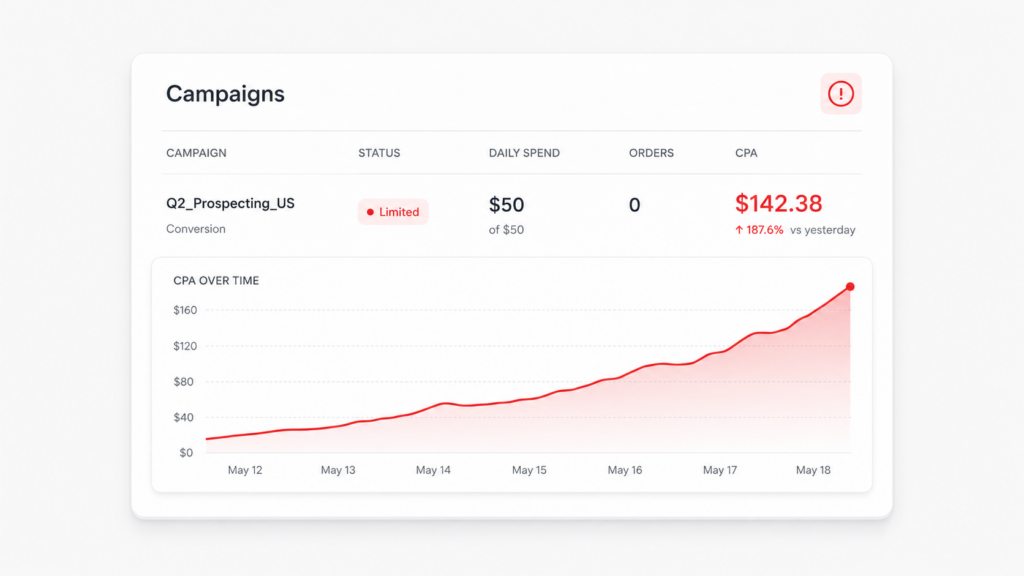
What the Customer Controls — and What Sellvia Controls
The service is easier to understand when control is divided clearly. Sellvia Ads is deliberately not a blank advertising console. It is a managed system that reduces decisions for the customer and transfers them to Sellvia’s internal process.
| Customer controls | Sellvia controls |
|---|---|
| Activating, pausing or cancelling the Promotion Service | Which products are promoted |
| Reducing daily usage to a previously attained package | Creative management and rotation |
| Enabling or disabling Accelerated Delivery | Placement allocation inside the Sellvia ecosystem |
| Enabling or disabling Remarketing | Internal pacing and optimization |
| Changing audience, device, placement or objective preferences where shown | Whether individual promotions are visible to the customer |
| Reviewing aggregated dashboard results | Product-selection logic based on trends, demand and profitability signals |
The loss of granular control is not an accidental defect. It is the mechanism that makes the feature approachable. A beginner does not need to build campaigns, write multiple ad variants, select bids or maintain several platform accounts. Sellvia takes on those operational tasks. The user’s job shifts from campaign construction to budget supervision and business-level evaluation.
There are also restrictions worth knowing. Current terms say the customer cannot directly select or influence promoted products, cannot alter the prices of actively promoted products, and should not edit or remove promoted listings during delivery. Those conditions protect the internal optimization process, but they also mean the system is less suitable for an experienced advertiser who wants precise product-by-product control.
What the Dashboard Can Prove — and What It Cannot
Sellvia provides real-time reporting in the dashboard, but the current terms describe that reporting as aggregated. Individual promotions and placements may not be visible. That makes the dashboard useful for operational decisions, but it should not be read as though it were a complete third-party advertising account export.
| Dashboard information | What it can show | What it does not prove by itself |
|---|---|---|
| Daily Ads Credit usage | How much promotional service was consumed | The purchase price of external media inventory |
| Traffic or visitor activity | Whether the service is generating measurable activity | That every visitor is commercially valuable |
| Orders or attributed conversions | Whether activity is producing the tracked outcome | That the campaign is profitable after all costs |
| ROAS or efficiency metric | A relationship between attributed value and promotional usage | Withdrawable profit or cash available to the account owner |
| Billing transactions | Actual charges, fees and credits applied | Future performance |
For a clean reconciliation, I would compare four records on the same date: the current package, the status of optional pacing settings, Ads Credit consumption and the billing transaction. If those four figures align, the spend is understandable. If they do not, the correct next step is to pause and ask support for a transaction-level explanation rather than guessing from a performance screenshot.
The broader operating economics — subscription plans, product limits and the role of separate fees — are covered in the site’s Sellvia pricing analysis. Keeping that topic separate prevents an advertising article from turning into another general cost guide.
How Long Should Sellvia Ads Be Allowed to Learn?
Official Sellvia Academy guidance says campaigns may need roughly 48 to 72 hours before early performance data becomes useful and warns against judging the first day. Other Sellvia materials have used longer learning-period language. The current Terms of Use do not guarantee a fixed optimization timeline.
That leaves a sensible interpretation: the first few days are too early for a final verdict, but there is no contractual promise that a specific number of days will produce a particular ROAS or conversion level. The right review window depends on how much data appears, whether charges match the settings, and whether the account can afford continued testing.
Pausing has another consequence. The Terms say that when a customer voluntarily pauses and later reactivates the service, the algorithms may assign lower priority in the allocation queue and efficiency may change. That does not mean a campaign should never be paused. It means frequent on-and-off behavior is not a neutral action.
A practical rule: do not stop because one day looks weak, and do not continue merely because the system is “still learning.” Continue only while the authorized spend is understood, the testing limit has not been reached and the dashboard is producing information useful enough to justify the next day.
A Better Way to Review Each Milestone
The published milestone schedule creates natural checkpoints. Instead of waiting until the end of the month, review the account before each automatic increase.
- Before activation: record the Bronze package, the status of Accelerated Delivery and Remarketing, the available Ads Credit balance and the expected 28% fee.
- Around day 5: confirm whether Silver has activated. Compare the new daily charge with the dashboard setting and decide whether to remain at Silver or reduce to Bronze.
- Around day 10: review whether Gold-level consumption is producing enough additional information to justify the higher base amount.
- Around day 20: treat the Platinum transition as a deliberate financial decision. The reference charge with the service fee is substantially higher than Bronze.
- Around day 30: do not treat Ultimate as a reward that must be accepted. It is simply the highest published service package and should be used only when the account’s economics support it.
This approach preserves what is good about automation without turning the budget over to inertia. The system handles operational optimization; the account owner still decides how much uncertainty to fund.
Sellvia Ads Versus Managing Advertising Yourself
The fairest comparison is not between Sellvia Ads and doing nothing. It is between a managed integrated service and a self-managed stack of advertising accounts, creative tools, tracking systems and ongoing optimization work.
| Area | Sellvia Ads | Self-managed advertising |
|---|---|---|
| Setup | Activated inside the Sellvia dashboard | Separate accounts, pixels, billing and campaign structure |
| Technical skill | Lower starting requirement | Higher learning curve |
| Creative and optimization | Managed by Sellvia | Managed by the advertiser or an agency |
| Control | Limited and configuration-based | Granular product, audience, bid and placement control |
| Reporting | Aggregated dashboard metrics | Direct platform-level reporting |
| Best fit | Beginners and users who value simplicity | Experienced advertisers who need ownership and detail |
For a beginner, the integrated model is a real advantage. Learning five ad interfaces is not the only legitimate way to test demand. Sellvia Ads can compress a complicated workflow into a manageable set of decisions. The value comes from that compression, not from a promise that automation makes every campaign profitable.
For an experienced media buyer, the same simplification may feel restrictive. A user who wants to choose every promoted product, inspect every creative, own every audience and export platform-level data will likely prefer direct accounts. Neither model is universally superior; they optimize for different kinds of users.
Six Misunderstandings That Cause Most Budget Surprises
1. “The $10 package means my card will be charged exactly $10”
The published 28% Promotion Service fee is applied to Ads Credit purchases. A Bronze reference amount of $10 therefore corresponds to an illustrative $12.80 daily cash charge before optional pacing effects.
2. “My campaign will stay at $10 until I manually upgrade it”
The published ladder advances at service milestones. The customer can reduce to a previously attained package, but manual increases are not the operating model described in the current Terms.
3. “Accelerated Delivery only makes results arrive faster”
It can also pace Ads Credit usage up to 50% above the base package. Remarketing can add up to 25%, and the two settings may apply concurrently.
4. “Ads Credits are money held in my account”
They are prepaid service units. They cannot be withdrawn, transferred or exchanged for cash and are non-refundable under the current Promotion Service terms.
5. “Sellvia Ads gives me a simpler Google Ads account”
The current legal description is an internal Sellvia promotion service with aggregated reporting. It does not provide external advertising credentials or direct platform ownership.
6. “A higher package should automatically produce a better business result”
A higher package increases promotional capacity. It does not guarantee higher ROAS, more conversions or profit. Scale is useful only when the underlying result is worth scaling.
When Sellvia Ads Is Genuinely Useful
Sellvia Ads has a clear positive use case. It suits users who can operate a store but do not want to become advertising technicians before testing whether buyers respond. The service removes a collection of difficult tasks:
- building multiple advertising accounts;
- creating and rotating ad variants;
- allocating spend across channels or placements;
- maintaining bid and pacing rules;
- constructing a reporting system from separate data sources;
- deciding which products should receive the first promotional push.
That is meaningful operational value. Many beginners do not fail because they lack a product or a storefront; they stop because acquiring traffic becomes a second profession. Sellvia’s managed structure reduces that barrier and keeps advertising inside the same environment used to monitor the rest of the business.
The system is especially suitable when the customer accepts three conditions: Sellvia chooses the products, reporting is aggregated, and the user’s principal responsibility is budget control rather than campaign construction. For that user, the loss of granularity is not necessarily a drawback. It is the price of simplicity.
When a User Should Reduce or Pause the Service
A pause is reasonable when it is based on a specific operational issue rather than panic over a single weak day. Examples include:
- the billing transaction does not match the package and optional settings shown in the dashboard;
- a milestone increase occurred before the customer was prepared to fund the higher level;
- Accelerated Delivery or Remarketing is active unexpectedly;
- the account has reached a predetermined testing limit;
- performance data is not detailed enough to explain the continued spend;
- a payment failure has already interrupted service and the user wants to reconcile the account before restarting;
- the promoted product or store setup requires correction under Sellvia’s rules.
Reducing the package can be a better first move than shutting the service off completely. The Terms allow a customer to return to a previously attained level, which preserves activity while lowering daily consumption. That option is easy to miss because most public articles focus on scaling upward rather than managing downward.
For complaints about billing, unclear settings or unexpected campaign behavior, the site’s separate Sellvia complaints analysis explains how to distinguish a documented service problem from a misunderstanding of the account rules.
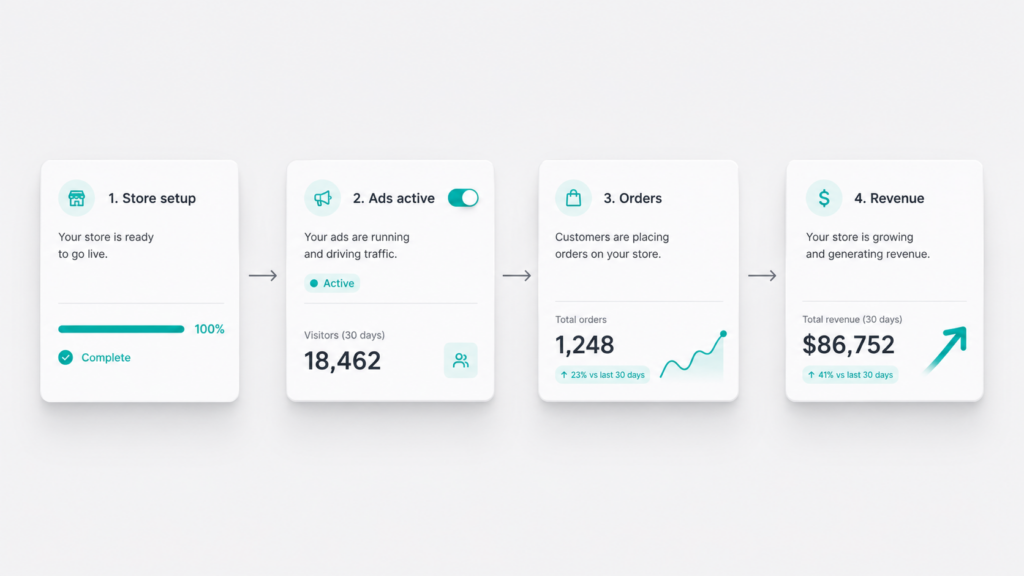
My Assessment After Tracing the Current Rules
The strongest part of Sellvia Ads is not a particular ROAS claim. It is the product design decision to make promotion accessible to someone who is not ready to manage external advertising infrastructure. The feature gives a new store an active traffic mechanism instead of leaving the user with a finished website and no idea how to attract visitors.
The part that deserves more attention is the authorization path. The real daily range is determined by the package milestone, the 28% service fee and two optional pacing controls. Once those pieces are separated, the system becomes much easier to evaluate. The user can see why a charge changed, what can be reduced and what Sellvia is managing on the user’s behalf.
I would not judge Sellvia Ads by whether it offers the same control as a professional media-buying account. It is not designed for that job. I would judge it by whether it gives its intended user a simpler route to measurable promotion while keeping the costs visible enough to supervise. On that narrower and more relevant standard, it is a useful feature — provided the customer reviews every milestone rather than treating automation as permission to stop watching the budget.
Final Verdict
Sellvia Ads is a legitimate and useful managed-promotion option for beginners and for users who value an integrated workflow over granular advertising control. It simplifies product selection, creative management, pacing, optimization and reporting, which removes a substantial technical barrier from launching a digital storefront.
The correct way to use it is to understand the mechanism: Ads Credits are prepaid service units, packages advance through milestones, the 28% fee sits above the package reference amount, optional settings can increase daily usage, and results are reported in aggregate without guaranteed ROAS or profit.
That combination makes Sellvia Ads neither a magic button nor an “expensive trap.” It is a managed tool with a clear trade-off: less campaign work and less direct control. For the beginner it was built for, that trade-off can be entirely reasonable.
Readers evaluating the platform as a whole can continue with the complete Sellvia review, while the site’s Sellvia evidence check covers company legitimacy, policies and operational proof separately.
Frequently Asked Questions
What is Sellvia Ads?
Sellvia Ads is the dashboard name commonly used for Sellvia’s managed Promotion Service. Customers purchase Ads Credits, and Sellvia handles product selection, creative management, pacing, optimization and promotional delivery within its ecosystem.
Does Sellvia Ads start at $10 per day?
The Bronze package uses 10 Ads Credits per day, priced by reference to $10. The current 28% service fee means the illustrative daily cash charge is $12.80 before optional Accelerated Delivery or Remarketing usage.
Does the Sellvia Ads budget increase automatically?
Yes. Current terms describe milestone-based progression from Bronze to Silver, Gold, Platinum and Ultimate after 5, 10, 20 and 30 days. Customers may reduce usage to a previously attained package, while manual increases are not permitted.
How much can Sellvia Ads cost in the first 30 days?
Under uninterrupted automatic milestone progression, with no reduction, optional pacing or promotional credit, base usage totals 625 Ads Credits. Applying the currently published 28% fee produces an illustrative total of $800.
What do Accelerated Delivery and Remarketing do?
Accelerated Delivery may increase daily pacing by up to 50%, while Remarketing may add up to 25%. Their effects may apply concurrently when eligible opportunities are available, although actual usage can be lower.
Can I choose which products Sellvia promotes?
Current terms give Sellvia control over product selection based on internal trend, demand and profitability signals. The customer cannot directly select, suggest or modify the promoted products during active delivery.
Can I see the individual ads and placements?
Not necessarily. The current Terms say individual promotions and placements may not be visible because of the internal delivery architecture. Results are provided through aggregated dashboard reporting.
Are Sellvia Ads Credits refundable?
No. Current terms describe Ads Credits and Promotion Service expenditures as non-refundable. Credits are prepaid service units and cannot be withdrawn, transferred or exchanged for cash.
Does Sellvia Ads guarantee sales or ROAS?
No. Current terms expressly disclaim guarantees of profit, conversions, ROAS and promotional delivery. The service automates and manages promotion, but commercial outcomes still vary.
Who is Sellvia Ads best for?
It is best suited to beginners and operators who want managed promotion inside the same dashboard as their store. Experienced advertisers who require direct account ownership and granular campaign control may prefer self-managed advertising.
15 responses to “Sellvia Built-In Ads Tool Useful Shortcut or Expensive Beginner Trap”
-
I’d push back slightly on the “7 days minimum” rule because honestly, I saw movement way faster than that. I went into this skeptical, thinking there’s no way a built-in ads tool could actually work for someone like me who’s never run a campaign before. Signed up for the trial on Sellvia just to mess around, got the $40 coupon, and set my daily budget to $15 on day one. By day three I had my first order – not a ton, but enough to make me realize the CPA math actually made sense for my product’s margin. The real value for me wasn’t the fancy features, it was how quickly I could go from “I have no idea what I’m doing” to “okay, this is actually generating sales” without needing to become a Google Ads expert. That said, you’re absolutely right that monitoring that CPA to margin ratio is crucial – I definitely learned that lesson when I got impatient and bumped my budget up too fast in week two. But for testing whether a product actually sells? I was profitable within days, not weeks.
-
Yeah, so I tried running ads through their platform during the trial with that $40 coupon and honestly the CPA thing clicked for me way faster than I expected – I hit profitable orders by day 5 just because the single budget dial forced me to actually pay attention instead of guessing on three different ad platforms. The 14 days was legit enough time to see whether my digital products were even worth scaling, which saved me from wasting real money later on something that wasn’t converting.
-
What changed my mind about leaving corporate was realizing I was paying $200+ monthly across different tools I barely used, so when I found Sellvia at $39/month with the built-in ads dashboard already included, it actually made me stop and calculate – that’s legitimately what you’d spend on just the ad management platform alone elsewhere. Your point about the $40 coupon making that break-even math work during the 14-day trial is spot on, because it gave me exactly those 7+ days you mentioned to test if my CPA was actually below my margin before spending real money.
-
Before I found Sellvia’s built-in ads tool, I was manually splitting my budget across three different platforms trying to figure out which one wasn’t hemorrhaging money, but that single budget dial completely eliminated the guesswork since I could finally see my actual CPA against my 60% margin in real time instead of chasing ROAS numbers that made me feel successful while losing money. The $40 coupon they mention paired with that 14-day trial is genuinely the only reason I tested it seriously, and honestly the minimum 7 days of data collection before scaling saved me from blowing through a bigger budget before I understood whether my product-niche fit was even there.
-
[…] a more complete breakdown of how the advertising component works, the Sellvia built-in ads tool breakdown explains why ad spend becomes the main pressure point and how to measure whether it is […]
-
[…] a wide margin. Plan for it as a core line item, not an extra. We took a closer look at how the Sellvia built-in ads tool performs in a separate […]
-
Stumbled on this article while killing time at the airport and the part about the Sellvia Market exit option after 60 days is what actually stopped me scrolling, because as someone who runs numbers for a living, the ability to convert a built store into a lump sum or installment payout changes the entire ROI calculation from a recurring subscription model into something that looks a lot more like an asset acquisition. I tested this thing for about 3 weeks and the exit multiple potential is genuinely the most underrated part of the math here, not the ad coupon or the daily traffic numbers. Going to pull the actual payout data from the Sellvia Market listings tonight and model out a realistic 60-day scenario with the 50-70% margin structure to see what the numbers actually look like on paper.
-
The payment mechanics section is where I actually paused during my lunch break, because the $100 minimum withdrawal threshold is the kind of detail that sounds minor until you run the real numbers on order volume versus commission percentages and realize you need a specific sales cadence just to access your own money consistently. As an accountant I tracked every order processing fee against the 50-70% margin and found that once I hit a rhythm of consistent weekly sales, the $100 threshold stopped feeling like a friction point and started functioning more like a forced savings buffer that kept me from pulling out small amounts too early. The payment system is not flashy but it is mechanically sound – bank transfers cleared without issues once I crossed the threshold, which is more than I can say for other tools I tested where withdrawals were unpredictable. Verdict: worth it, specifically because the payment structure rewards consistency over impulse, which is exactly how a real business should work.
-
Almost cancelled on day 6 because the math looked wrong, well, not exactly wrong but unclear enough that I was one slow afternoon away from walking away. A colleague noticed I’d stopped stress-posting about admin tasks and asked what changed, and honestly the answer was just that I hit my personal breakeven number on day 11 using this thing. The article is right that sales volume and profitability are not the same thing, and that distinction is exactly what I ran through before committing my test budget. The numbers ended up cleaner than I expected compared to what I’d set aside for the experiment.
-
I thought 14 days would be enough time to know – it wasn’t, because the real signal came three Fridays ago when I stopped refreshing the dashboard every hour and just let the system run. The backup supplier mapping section hit differently for me because I lost real money on a previous tool that had zero failover logic and zero accountability when stock vanished. I was the skeptic who warned others away from services like this, so it means something when I say the service I switched to actually changed that math.
-
I thought Sellvia would be another paid traffic disappointment – it wasn’t. After 11 weeks, the built-in ads system is genuinely outperforming the subscription tool I cancelled to fund this, which cost me more and converted less. The article’s point about sales volume versus profitability is the exact math I ran before committing, and with 50-70% commission on digital products, the margin actually holds up when you track it honestly.
-
I thought the ad targeting would be generic and wasted – it wasn’t, and at week 7 the thing that actually surprised me was how fast the system found buyers without me touching a single audience setting.
-
[…] Our detailed analysis of this feature is available in Sellvia Built-In Ads Tool: Shortcut or Beginner Trap? […]
-
[…] Sellvia’s built-in advertising service narrows that problem. The user funds advertising through the platform and works within Sellvia’s managed system. The detailed mechanics, budget milestones and service fees are covered in our Sellvia Ads analysis. […]
-
[…] Sellvia includes a built-in advertising environment that can take the operator beyond creative production and into campaign execution. The user can allocate a budget inside the platform and work within Sellvia’s managed advertising workflow rather than building the entire paid-media setup from scratch. That does not guarantee profitable traffic, and it does not remove the need to monitor economics. For the mechanics, budget rules and limitations, see our hands-on Sellvia Ads analysis. […]



Jo Carter is an editor and ecommerce researcher at Ecom Reality, where she covers ecommerce platforms, digital selling tools, online business software, pricing models, and emerging industry trends. She focuses on turning complex platform features and costs into clear, practical information for entrepreneurs and digital sellers. Her work combines detailed research with a balanced editorial approach, helping readers compare services, understand potential limitations, and choose tools that fit their business goals.
Comments
Leave a Reply
Related Articles

Leave a Reply