
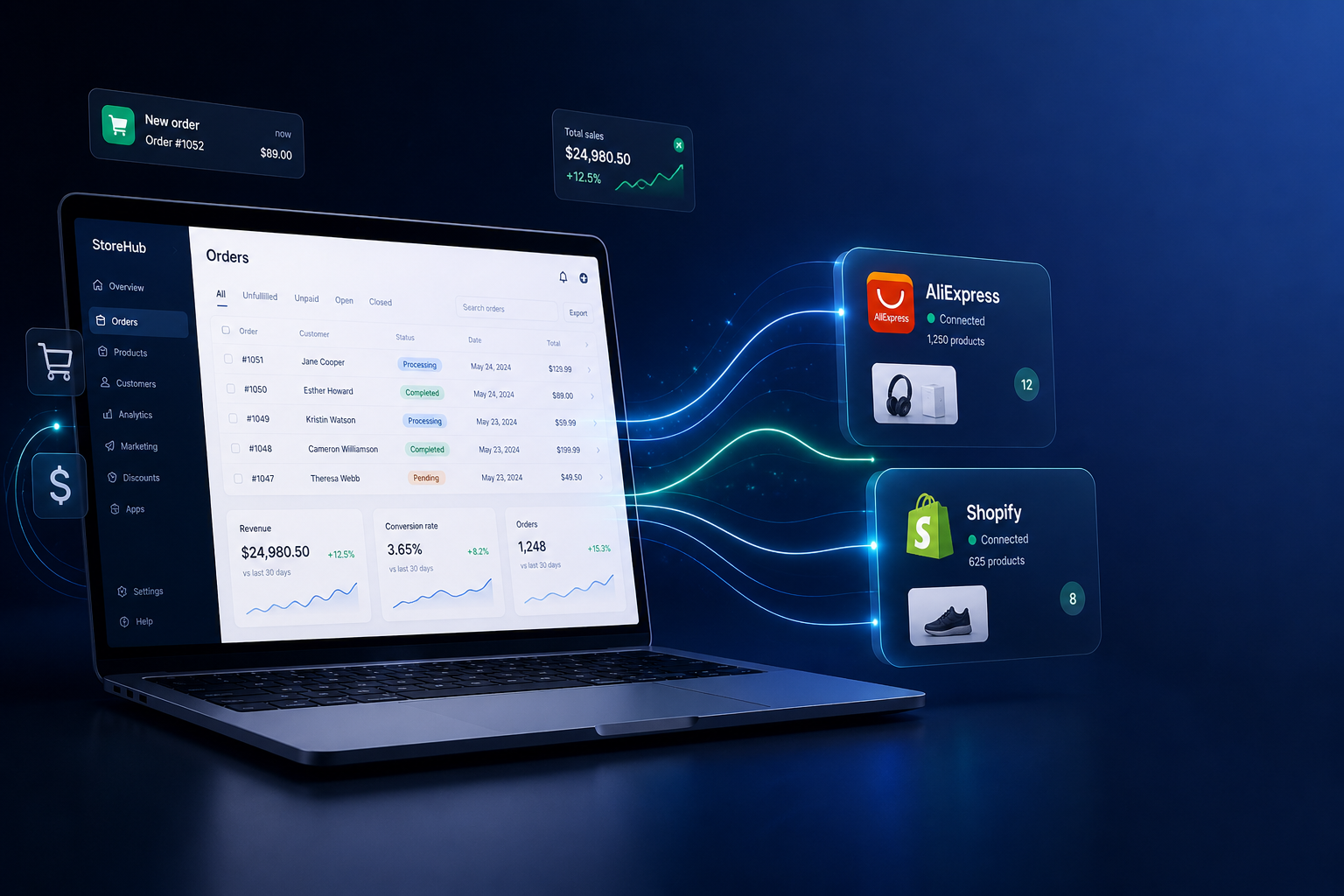
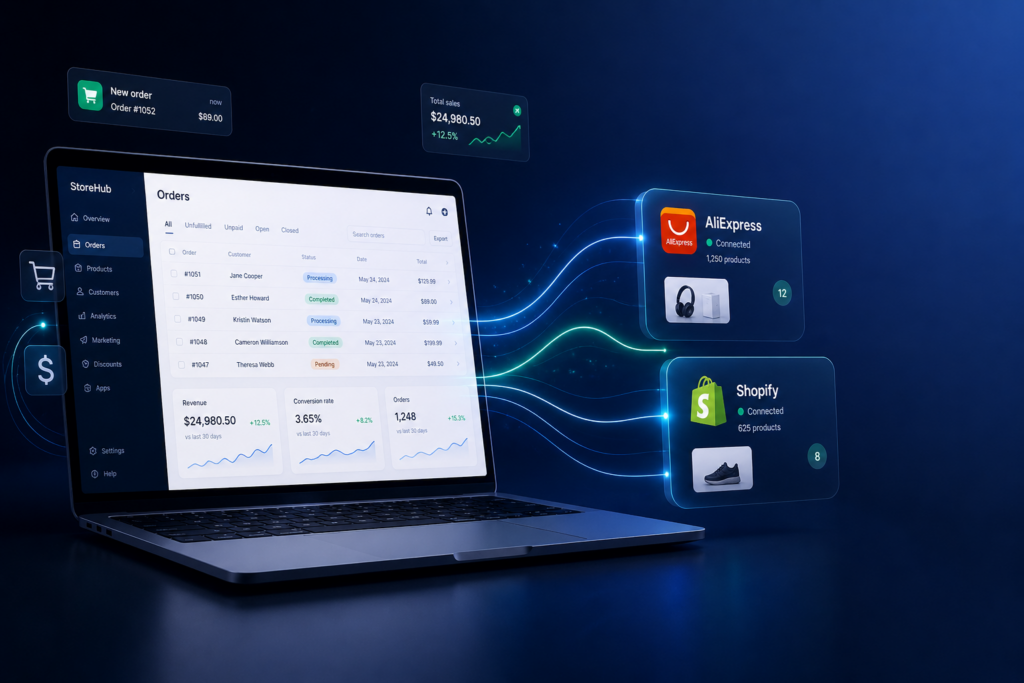
If you have spent more than a few weeks running a dropshipping store, you already know the pain. You copy a product link from AliExpress, open your store, manually enter supplier details, update prices one by one, and then spend your morning clicking through 30 orders to fulfill them one at a time. It is slow, error-prone, and soul-crushing. DSers was built specifically to kill that workflow.
But here is the thing most people miss: DSers is not just an order fulfillment plugin. It is a layered toolset with features that most users never discover because they stop exploring after setting up the basics. This article goes deeper than the standard “how to install DSers” tutorial. We are going to look at the tools, the tricks, and the configuration choices that separate store owners who spend 20 minutes a day on operations from those who spend 4 hours doing the same volume of work.
What DSers Actually Is – A Quick Orientation
DSers is the official AliExpress dropshipping partner tool. After AliExpress sunsetted its partnership with Oberlo in 2022, DSers became the recommended alternative and the only tool with direct, officially supported AliExpress integration. It supports Shopify, WooCommerce, and Wix.
The free plan is genuinely usable for small stores – up to 3 stores and 3,000 products. Paid plans (Advanced at around $19.90/month, Pro at $49.90/month, Enterprise at $499/month) unlock bulk operations, automation, and multi-store management.
The core promise: connect your store, import products from AliExpress, map suppliers, and fulfill orders with fewer clicks. Simple in theory. Powerful in practice – if you know which settings to actually configure.
The Supplier Optimizer: The Feature That Changes Everything
Most DSers users set up one supplier per product and call it a day. That is a mistake.
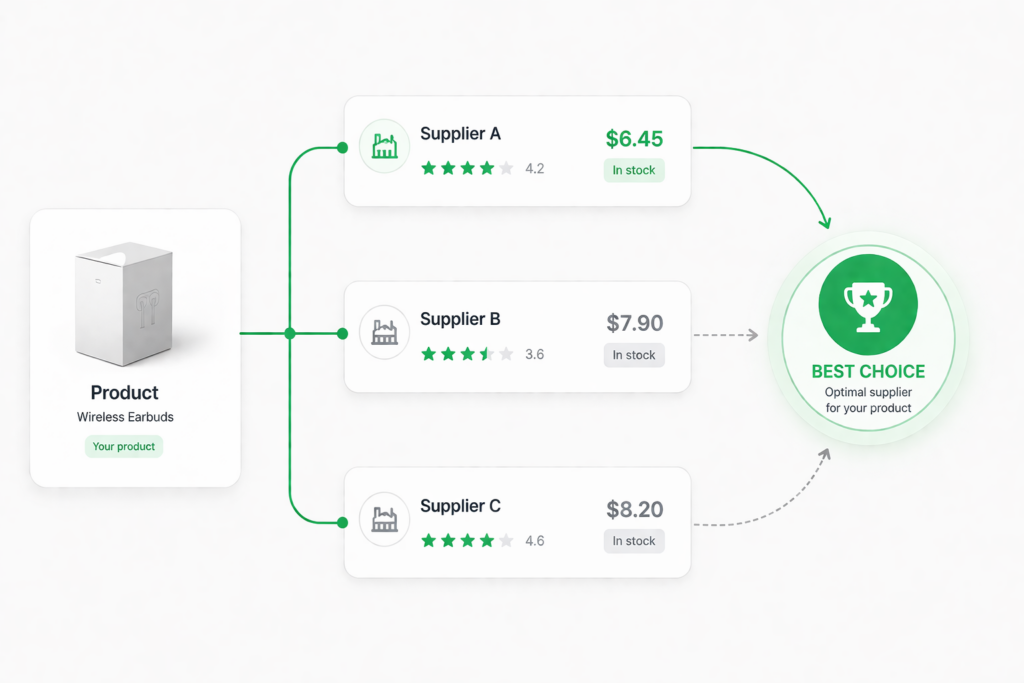
The Supplier Optimizer tool lets you run a side-by-side comparison of multiple AliExpress suppliers for the same product and map up to 3 backup suppliers for automatic failover. Here is why this matters in practice:
Primary + Backup Supplier Mapping. Go to your product page in DSers, click “Set Supplier,” and you will see the option to add multiple suppliers ranked by priority. If your primary supplier runs out of stock or raises prices above your threshold, DSers can automatically switch to your backup. You do not lose the sale and you do not need to manually re-map orders.
The Supplier Comparison View. When you search for a product to import, DSers shows you a “Supplier Comparison” panel that lines up price, shipping time, order count, and seller rating. Most users scan this quickly and pick the first result. The power move: sort by “Orders” to find the supplier with the highest volume (social proof that the product actually ships), then filter by ePacket or AliExpress Standard Shipping availability for your target country.
Whitelist Suppliers. If you find a supplier you trust – reliable shipping times, accurate product descriptions, responsive to issues – you can add them to your Supplier Whitelist. DSers will then prioritize suggesting these suppliers across your entire product catalog, not just for individual items. For stores in a specific niche, this is a major time saver.
Practical hack: Run your top 10 products through the Supplier Optimizer every 90 days. AliExpress supplier quality shifts constantly. A supplier that was solid 6 months ago may have degraded reviews or slower shipping now. This quarterly audit takes about 30 minutes and can prevent a customer service nightmare.
Bulk Order Fulfillment: The Reason Power Users Pay for Pro
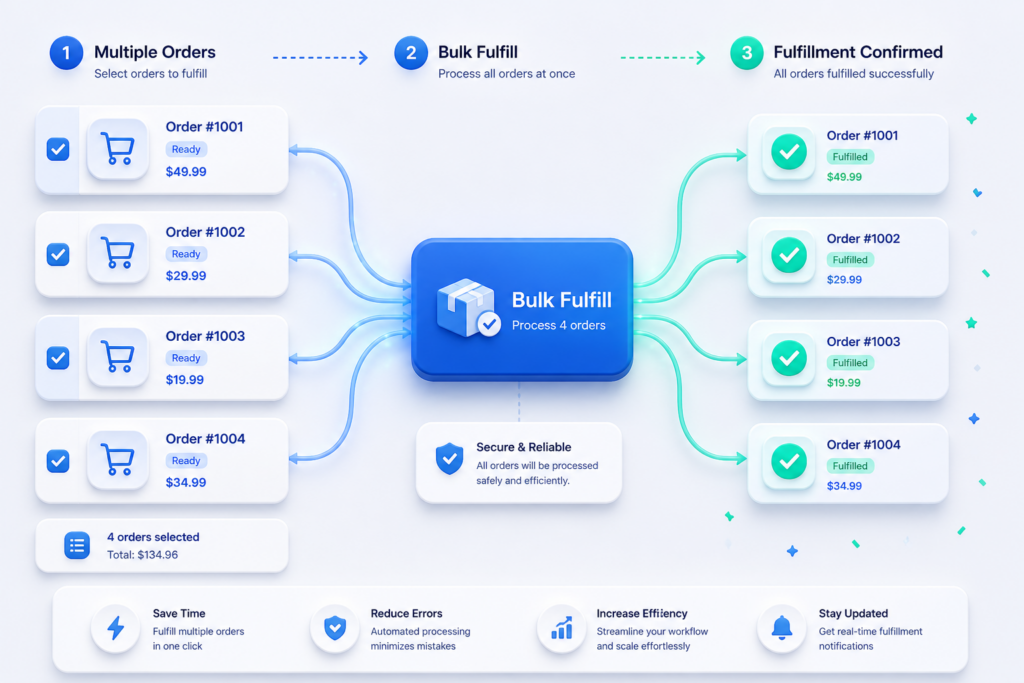
The most obviously powerful feature in DSers is Bulk Order – and yet it is consistently misconfigured by people who use it. Let us go through what it actually does and how to set it up correctly.
With Bulk Order, you select all unfulfilled orders (or filter by supplier, product, or date) and submit them to AliExpress in a single session. DSers pre-fills all the customer shipping details automatically. You review and confirm in one pass rather than opening 30 separate AliExpress checkout pages.
The payment flow most people get wrong. DSers does not pay AliExpress for you. It opens a consolidated cart-style checkout. You still need to be logged into your AliExpress account and go through payment. The key setting that saves time here is enabling “Auto-sync AliExpress tracking numbers” in Settings > Tracking Number. Without this, you have to manually copy tracking numbers from AliExpress back into your store after fulfillment. With it, DSers polls AliExpress automatically and syncs the tracking data to your store.
Filtering before bulk fulfillment. Before you hit bulk fulfill, use the order filters. Filter out any orders flagged as “Awaiting Payment” from your customers (someone placed an order but payment did not clear). Fulfilling these wastes money. Also filter for orders where the product has a variant mismatch – if a customer ordered Size L but your supplier mapping is misconfigured, bulk fulfillment will order the wrong variant at scale.
The “Manual” vs “Automatic” fulfillment mode. In DSers Settings > Fulfillment Settings, you can set orders to fulfill automatically as soon as they come in, or hold them for manual review. For most stores, Manual is the right default until you have verified your supplier mapping is clean and your address formatting handles edge cases. Automatic is great for high-volume, well-tested stores – but one misconfigured product variant in automatic mode can mean dozens of wrong orders before you catch it.
Product Mapping: Variants, Bundles, and BOGO
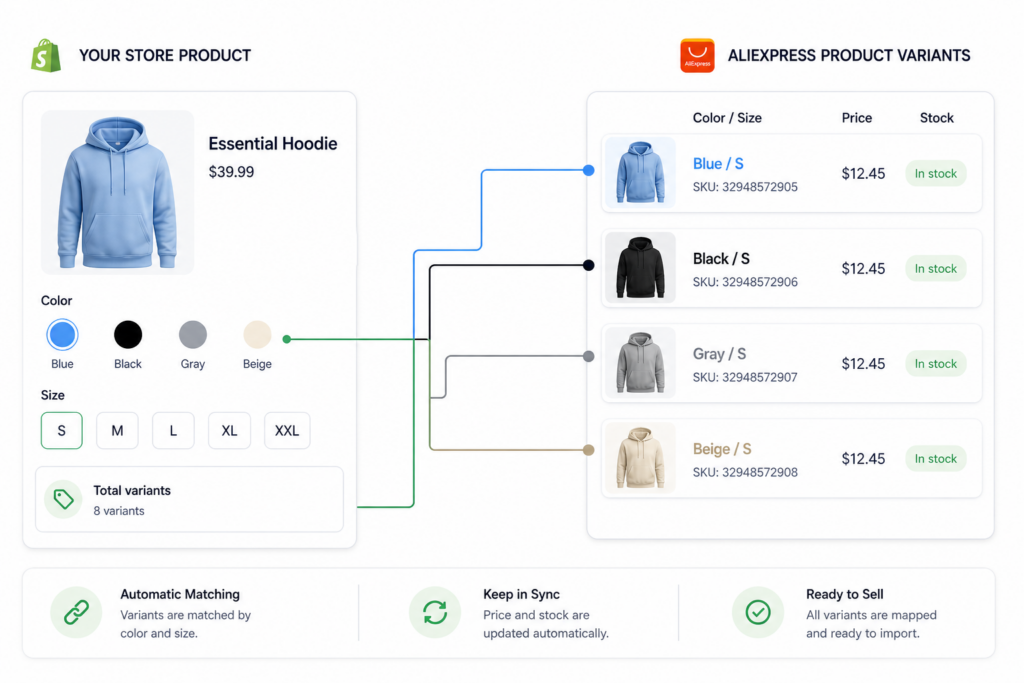
Product mapping is where DSers gets genuinely sophisticated – and where most tutorials give up after explaining basic single-variant mapping.
Advanced Mapping. This unlocks when you have a product with multiple variants (colors, sizes) that map to different AliExpress SKUs. Instead of one AliExpress product mapped to all variants, Advanced Mapping lets you point each specific variant to a different supplier or even a different AliExpress listing entirely. This is critical if your “Black” variant ships from one supplier and your “White” variant ships from another – which happens more often than you would think in certain niches.
Bundle Mapping. Bundle Mapping lets you set up a single product listing on your store that, when purchased, triggers orders for two separate AliExpress products. Classic use case: you sell a “Kit” in your store, and the kit contains a product from Supplier A plus a product from Supplier B. Without Bundle Mapping, you are manually splitting these orders. With it, DSers handles both orders automatically.
BOGO Mapping. Buy One Get One – a promotional structure that many store owners want to run but find logistically painful. In DSers, BOGO Mapping lets you configure a product so that one store purchase triggers two AliExpress orders automatically. This lets you offer a genuine BOGO promotion without doubling your fulfillment work.
The variant mapping audit trick. Go to DSers > Products > Mapped and filter by “Partially Mapped.” These are products where some variants are mapped to a supplier and others are not. An unmapped variant means a customer can place an order for a color or size you cannot actually fulfill – and DSers will flag it but not stop the sale. Cleaning up your Partially Mapped list weekly prevents fulfillment gaps.
The Chrome Extension: Importing Done Right
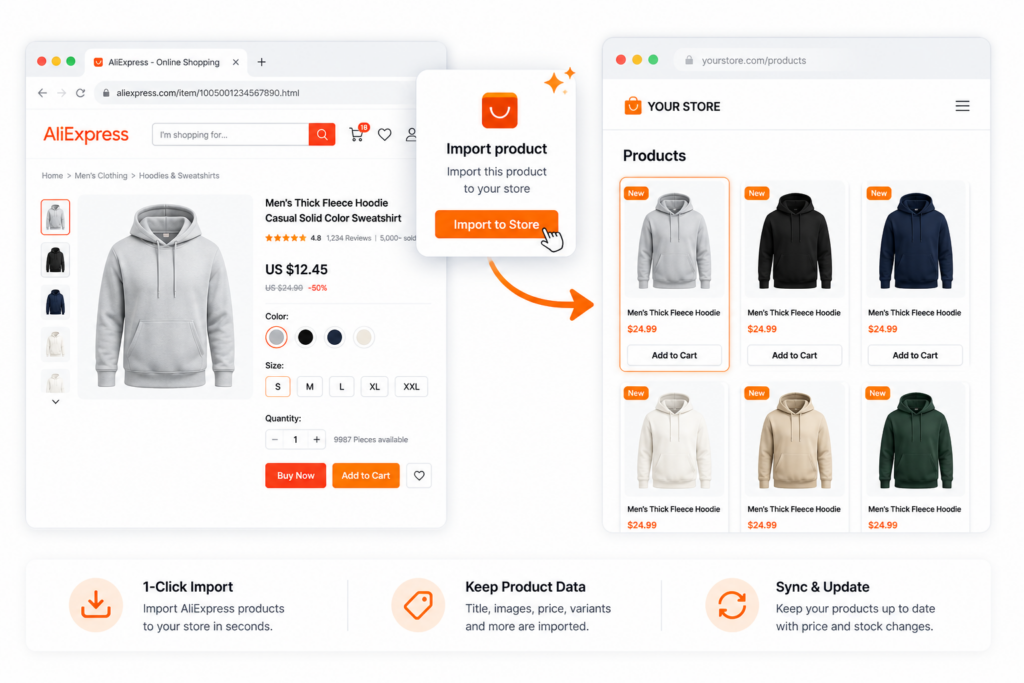
The DSers Chrome Extension is one of those tools that looks like a minor convenience but actually changes how you research and import products.
Install it and you get an “Add to DSers” button that appears directly on AliExpress product pages and search results. But the extension does more than just import.
Import with Supplier Notes. When importing via the extension, you can add notes to a product before it lands in your DSers import list. Use this to tag why you flagged a product (“good reviews but check shipping time”), which product position you want it in, or which store it should go to if you manage multiple stores. These notes do not go to your store – they are internal to DSers.
Import from Search Results. You do not have to open each product page individually. The extension adds import buttons to AliExpress search result cards. You can queue up 20 products from a search results page in 5 minutes, then review them all in your DSers import list before pushing any live. This separates the “research phase” from the “publishing phase” – a better workflow than deciding in the moment.
Split Product Variants on Import. This is a hidden gem. Some AliExpress listings combine what should logically be separate products – for example, a listing with 15 color variants that are actually 3 different product styles. In the DSers import list, you can split these into separate products before they go to your store. This gives you cleaner product pages and better SEO for each distinct item.
Pricing Rules and Markup Automation
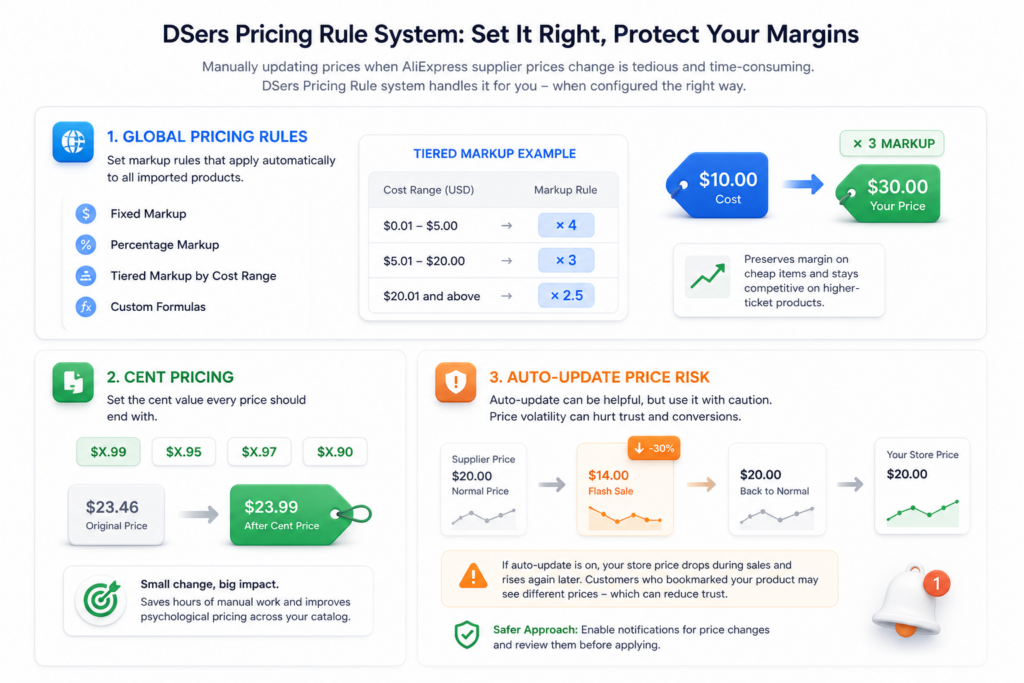
Manually updating prices when AliExpress supplier prices change is one of the most tedious tasks in dropshipping. DSers has a Pricing Rule system that handles this – but most people configure it once and never revisit it.
Global Pricing Rules. In DSers Settings > Pricing Rule, you can set markup rules that apply automatically to all imported products. Options include fixed markup, percentage markup, tiered markup by cost range, and custom formulas. A common tiered approach:
- Products costing $0.01 to $5.00: multiply by 4
- Products costing $5.01 to $20.00: multiply by 3
- Products costing $20.01 and above: multiply by 2.5
This preserves margin on cheap items while staying competitive on higher-ticket products.
Cent Pricing. DSers has a built-in “Cent Price” field where you set what cent value every price should end with – $X.99, $X.95, $X.97, and so on. Sounds trivial. Actually adds up across a large catalog when you consider how much time you would spend manually adjusting every price to hit the right psychological price point.
The Auto-Update Price Risk. DSers can be set to automatically update your store prices when AliExpress supplier prices change. This sounds great in theory – no manual price monitoring. In practice, treat this setting carefully. If a supplier temporarily discounts a product for a flash sale, auto-update will slash your store price. When the sale ends and the supplier price goes back up, your store price does too – and any customer who bookmarked your product at the sale price will see a different number. For stores with significant SEO traffic, uncontrolled price volatility can hurt trust. The safer approach is to enable notifications for price changes and review them before applying.
Tracking and Customer Communication Integration
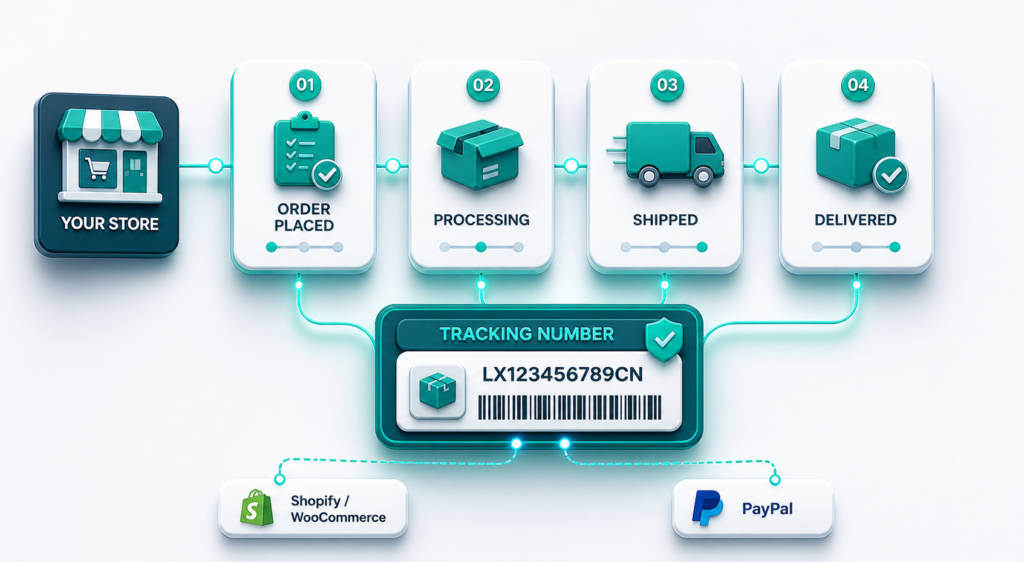
Once orders are placed on AliExpress, the tracking workflow begins – and this is where a lot of stores leak customer trust.
Auto-Sync Tracking to Store. As mentioned above, DSers can automatically pull tracking numbers from AliExpress and push them to your Shopify or WooCommerce order. Enable this in Settings > Tracking Number. Without it, customers get no shipping notification from your store, which means support tickets.
Sync to PayPal. If you accept PayPal, there is a specific integration in DSers to sync tracking numbers directly to PayPal transactions. This is not just a convenience – it is a dispute-prevention tool. PayPal dispute resolution is significantly more favorable to sellers when tracking information is attached to the transaction. If you run a Shopify store, the native PayPal-Shopify tracking sync handles this. For WooCommerce, the DSers-to-PayPal sync is more valuable.
Order Notes for Customer Service. In the DSers order view, you can add internal notes to any order. Use this when you manually intervene – for example, “contacted supplier 2024-11-03, estimated delay 7 days, emailed customer.” This note is only visible to you, not the customer. If you have a team handling customer service, these notes prevent duplicate outreach and keep everyone on the same page without needing a separate CRM for order-specific issues.
Multi-Store Management: The Pro and Enterprise Use Case
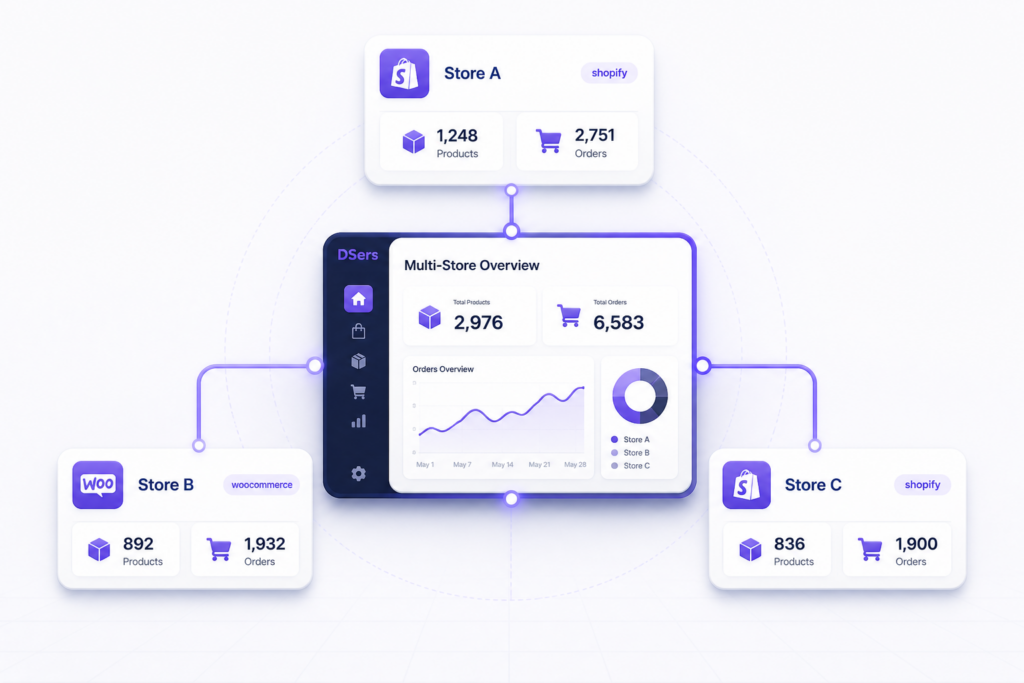
If you are running more than one store, DSers Pro and Enterprise unlock multi-store management that is genuinely useful – not just a premium upsell.
Store-Specific Supplier Mapping. You can import the same product into multiple stores and map it to different suppliers per store. This means Store A targeting US customers uses a US-warehouse AliExpress supplier, while Store B targeting UK customers uses a supplier with faster UK shipping. Same product, two supply chains, managed from one DSers account.
Cross-Store Inventory Visibility. In the Pro plan, you can see product and order status across all connected stores from a single dashboard. No more logging in and out of three Shopify accounts to check overnight orders.
Product Migration Between Stores. If you test a product in one store and it performs well, DSers allows you to copy the product (including supplier mapping, images, and description) to another store without re-importing from AliExpress. This is a minor but real time saver for multi-store operators.
What DSers Does Not Do – Being Honest About the Gaps
No tool review is complete without a realistic look at limitations. DSers has several worth knowing.
Supplier quality control is still your job. DSers gives you data – order count, ratings, price history – but it cannot verify whether a supplier will actually ship on time, package products well, or handle returns. The tool optimizes logistics; it does not replace supplier vetting. You still need to order test samples from new suppliers before scaling.
AliExpress dependency is a structural risk. DSers is tightly coupled to AliExpress. If AliExpress changes its policies, restructures its API, or raises fees, DSers functionality can change without warning. Stores that want supply chain independence eventually outgrow the DSers + AliExpress model.
The free plan is restrictive at scale. 3 stores and 3,000 products sounds like a lot until you realize that many product research strategies involve importing 50 to 100 products per niche to test which ones actually sell. A single niche store can hit the product limit fast. The jump to Advanced ($19.90/month) is reasonable, but it is worth knowing you will likely need it.
Customer support quality varies. Community reviews on Trustpilot and the Shopify App Store (where DSers holds a 4.0 to 4.2 range as of early 2025) consistently mention that chat support response times are slow and that complex issues sometimes require multiple escalations. For urgent fulfillment problems, the lack of phone support can be frustrating.
The Configuration Checklist Most Guides Skip
After reading dozens of DSers setup guides and community threads on Reddit’s r/dropship and r/shopify, here is the checklist of settings that are almost never covered in tutorials but make a real difference:
1. Enable “Auto Message to Suppliers” – In DSers Settings > Message, you can set an automatic note that goes to every AliExpress supplier with your orders. Use this to request that suppliers not include AliExpress invoices or promotional materials in the package. A simple message like “Please do not include any AliExpress branding, invoices, or promotions in the package” handles this at scale.
2. Set Currency Correctly – DSers defaults to USD for pricing calculations. If your AliExpress account operates in a different currency, your markup math will be off. Verify this in Settings > Currency before doing any pricing setup.
3. Configure Shipping Method Per Supplier, Not Globally – The temptation is to set a global preferred shipping method (ePacket, AliExpress Standard Shipping, etc.) and move on. The problem is that not every supplier offers every shipping method. Setting a preferred method that a supplier does not offer causes DSers to fall back to a default – sometimes slower or more expensive than you intended. Check shipping method availability for each mapped supplier individually.
4. Set Up the “Awaiting Payment” Filter – Tag your DSers account to highlight orders where the customer payment is still pending. This prevents accidentally fulfilling orders that have not cleared.
5. Review the “Failed Orders” Queue Daily – DSers keeps a log of orders that failed to submit to AliExpress. Common reasons include supplier stock-outs, AliExpress login session expiry, and payment method issues. This queue does not send you a push notification by default – you have to check it manually. Make it a daily habit before it becomes a pile of angry customer service emails.
DSers vs. AutoDS vs. Zendrop: Where Each Tool Wins
A lot of store owners evaluate DSers against AutoDS and Zendrop. Here is a genuinely neutral take based on what each tool does well.
DSers wins on: AliExpress integration depth (it is the official partner, which matters for API reliability), free plan generosity, and the product mapping sophistication for bundle and BOGO structures.
AutoDS wins on: Supplier diversity (it connects to AliExpress, Amazon, Walmart, and others), automation depth (price monitoring and order fulfillment can run more hands-off), and built-in product research tools including a winning products feed.
Zendrop wins on: US-based suppliers (faster shipping, which is increasingly important as customer expectations rise), print-on-demand integration, and a more polished onboarding experience for complete beginners.
For a store built entirely around AliExpress sourcing where budget is a constraint and you want deep control over supplier mapping, DSers is still the strongest choice. For stores that want more supplier diversity or hands-off automation and can afford a higher monthly cost, AutoDS becomes more competitive.
Final Thoughts: Where DSers Fits in a Serious Ecom Operation
DSers is not a glamorous tool. It does not have a viral TikTok community, it does not market itself with screenshots of $100K months, and its interface prioritizes function over aesthetics. That is actually a good sign.
For stores in the early-to-mid growth phase – a few hundred to a few thousand orders per month – DSers provides most of what you need to keep operations manageable without a team. The Supplier Optimizer, Bulk Order, and Advanced Mapping together represent a genuine operational edge over store owners still doing things manually.
The ceiling, however, is real. Stores doing serious volume eventually want more automation, more supplier options, and more separation from the AliExpress ecosystem. At that point, DSers is one component in a larger stack, not the whole solution.
Use it as the powerful starting tool it is. Configure it properly from day one. And revisit your supplier mapping, pricing rules, and automation settings every quarter – because the best DSers setup is not a one-time installation, it is a regularly maintained system.
EcomReality is not affiliated with DSers, AliExpress, AutoDS, Zendrop, Shopify, Sellvia or any other company mentioned in this article. We do not receive compensation from any of these companies. All opinions and assessments are independent and based solely on publicly available information and community feedback.
4 responses to “DSers: The Underrated Toolset That Actually Makes Dropshipping Manageable”
-
Pretty fair overview. DSers seems less like a magic automation tool and more like a control panel for people who already understand that supplier management is still part of the job.
The useful part is that it makes repetitive work faster – mapping products, checking suppliers, handling bulk orders, syncing tracking. But it still needs regular attention. If someone treats it as “install once and forget,” they’ll probably miss the real value of it.
-
Not gonna lie, I ignored DSers settings for months because the dashboard looked overwhelming. Then one day my supplier ran out of stock and I learned about backup suppliers completely by accident lol. Wish I knew that earlier because it would have saved me a bunch of refund emails.
-
Been running DSers for about 18 months now and this nails the stuff that actually matters. The Supplier Optimizer quarterly audit thing is real – I caught a supplier I’d been using for months had dropped from 4.8 to 3.9 stars, and switching saved me probably 20+ returns. One thing I’d add though: the auto-sync tracking feature doesn’t always work perfectly, so I still manually spot-check on Fridays just to make sure nothing slipped through. Also learned the hard way that enabling auto-update pricing without safeguards is a mistake – had a supplier flash sale tank my margins for three days before I noticed. The configuration checklist at the end should be required reading before anyone hits the import button, because yeah, most people skip those settings and wonder why their operations are chaos.
-
The honest take on supplier QC being your responsibility is the real sticking point – I learned that lesson the hard way with the last tool I tried, and it’s not something a plugin solves for you no matter how slick the UI is.



Croom Raymond is an ecommerce writer and digital business researcher at Ecom Reality. He covers online selling platforms, SaaS tools, pricing structures, platform features, and practical strategies for building digital businesses. His articles focus on clear, evidence-based analysis that helps readers understand how different services work, compare their advantages and limitations, and make more informed business decisions.
Comments
Leave a Reply
Related Articles

Leave a Reply